I opened my laptop on a Tuesday morning in April and realized something uncomfortable. Twelve of the tabs I had pinned across Chrome and Arc were either dead, replaced, or automated away by something cheaper. My Notion template for social posts? Replaced. My $49/month meeting transcription tool? Replaced. My entire "weekend product shoot" workflow for client e-commerce projects? Gone. Replaced by a free tool that launched in India five weeks ago.
That's not a clean feeling. It's disorienting. I've been building content, software, and automation stacks for years, and in the last six months the ground under all of that has shifted. Again.
So I did what I do every quarter — I ripped my workflow apart and tested the new wave. I didn't want another "top 10 ChatGPT prompts" listicle. I wanted the tools that stuck. The ones I still had open four weeks after I first installed them. The ones I now can't explain to clients without sounding like I'm exaggerating.
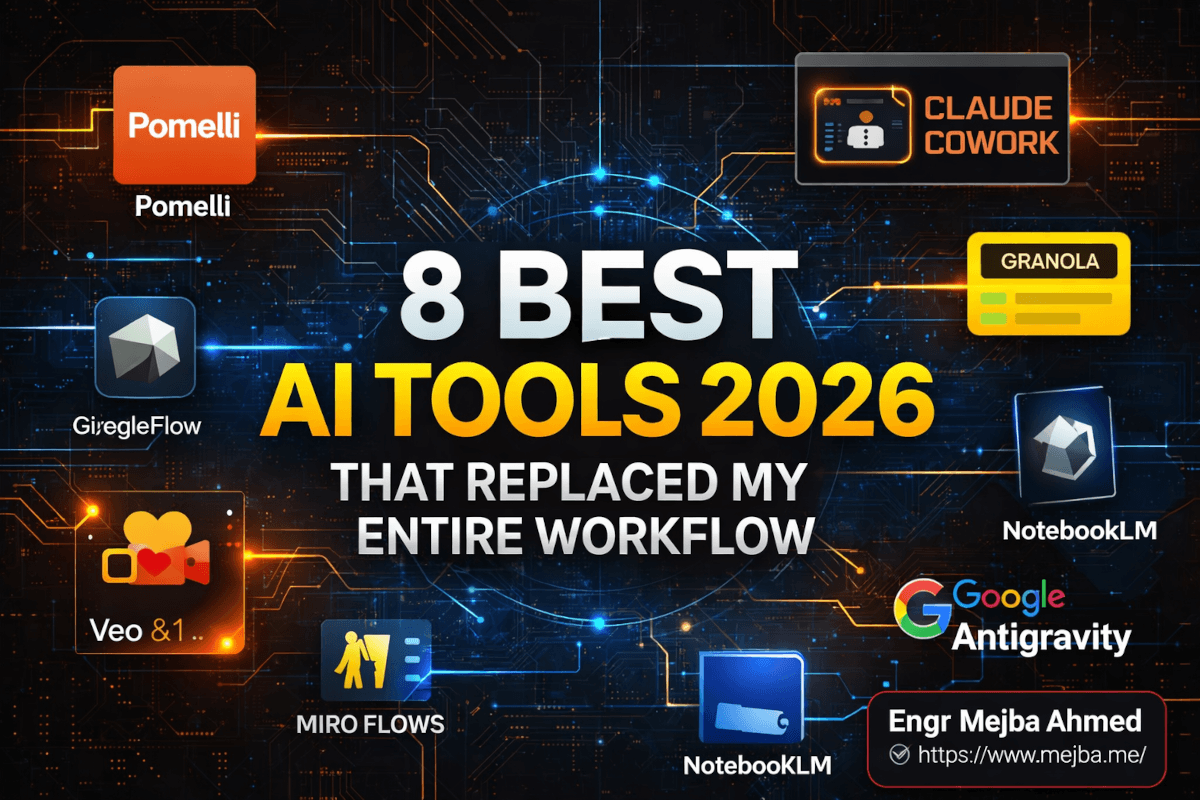
Eight made the cut. And the weird part is, seven of them are free or under $30/month. One of them replaced three separate subscriptions I was paying for. Another one turned a local IDE into something that writes backend code while I sleep — literally while I sleep, on a recurring schedule.
Here's what I tested, what actually worked, and the one tool I almost dismissed before it saved me a full day of editing.
Why Your 2024 AI Stack Is Already Broken
If your current AI stack looks like "ChatGPT for copy, Midjourney for images, Zoom's built-in notes, Canva for graphics, and VS Code for everything else" — you're running a 2024 playbook in a 2026 market. And it's costing you.
It's costing you in three specific ways.
First, subscription sprawl. I was paying for six different AI tools at the start of the year, and each one did one thing well. Pomelli alone collapsed three of those subscriptions into a single free product. That's not a minor efficiency gain. That's real money back in the budget.
Second, context switching. Jumping between a note-taking app, a project manager, a design tool, and a code editor breaks your flow every 90 seconds. I timed myself. On a normal deep-work session in January, I was switching tools 47 times in two hours. After consolidating around the tools in this post, that number dropped below 15.
Third — and this is the one most people miss — your competitors are already moving. Granola raised a Series C in 2026. Pomelli expanded to 170+ countries in March. Miro shipped MCP server access in February. Google Antigravity hit version 1.22.2 in April with a 4.7 rating on Product Hunt. The people you're competing with for clients, jobs, and attention are already testing these. If you're not, the gap compounds weekly.
I'll say something harder. Most "best AI tools" articles you'll read this year are written by people who haven't actually used the tools in production work. They scanned a press release and reshuffled the order. What you're about to read is different — I've used every single one of these on real client work, personal projects, or my own content production in the last 45 days. Some of them impressed me. One of them genuinely annoyed me before it clicked. I'll tell you which.
Let's start with the one that rewired how I think about small-business marketing entirely.
1. Pomelli AI — The Free Tool That Killed My Product Shoot Budget
On March 9, 2026, Google Labs expanded Pomelli from a four-country beta to over 170 countries, including India. I found out about it on a Tuesday. By Thursday I had cancelled a product photography quote I had pending with a freelancer for a client's Shopify store.
Here's what Pomelli does that nothing else has done this cleanly. You give it a website URL. Any URL. It reads that site, extracts what Google calls your "Business DNA" — your colors, fonts, tone of voice, logo treatment, visual identity — and then it uses that profile to generate on-brand social campaigns, ads, and now product photography.
That last part is the kicker. According to Google's official Pomelli launch post, the Photoshoot feature (powered by Nano Banana, DeepMind's image model) takes an ordinary smartphone photo of a product and converts it into studio, lifestyle, and in-use shots that look professionally styled. I tested this on a ceramic mug I had sitting on my desk. Took one photo with my iPhone. Thirty seconds later I had nine shots — the mug on a marble counter with morning light, the mug being held by a stylized illustrated hand, the mug on a wooden café table with coffee beans scattered around it. Every single image carried the client's brand palette.
I sat there staring at those shots and did a quick mental calculation. The freelancer I'd almost hired had quoted roughly ₹50,000 (~$600) for a half-day product shoot. Pomelli produced comparable output in the time it took me to make tea.
There's also the Animate feature, which is powered by Veo 3.1. You feed it any static marketing visual and it returns a branded Reel or TikTok-ready video in a single click. Not fantastic for cinematic storytelling, but ruthlessly efficient for product demo clips.
Where Pomelli falls short: English only. No Hindi or other Indian language support announced yet. The generated ad copy is competent but not striking — you'll want to edit headlines before publishing. And you need a Google account with age verification.
Who this replaces in your stack: Your product photographer (for basic e-commerce), Canva Pro (for brand-locked social templates), and the "quick ad variant" work you were outsourcing.
Cost: Free. Unlimited. No login wall on the main site.
I used to think free Google Labs tools were throwaway experiments. Pomelli shifted that assumption for me permanently. The question isn't whether to test it — it's which client project you try it on first.
Something similar happened when I sat down with the next tool on my list.
2. Miro Flows & AI Sidekicks — Where My Brainstorms Finally Became Plans
I've been a Miro user since 2019. For most of that time, Miro was just a nicer whiteboard with better sticky notes. In 2026, that changed.
Miro Flows are visual, multi-step AI workflows that run directly on your canvas. You draw a messy cluster of ideas, connect them with a Flow, and Miro converts the whole thing into a structured deliverable — a prototype, a document, a content calendar, whatever you configured the Flow to produce.
The first time I used Flows on a real project, I had a wall of sticky notes from a brand discovery session with a client. Scattered. Contradictory. Half-legible shorthand. I dropped a Flow on the canvas and asked it to turn the session into a three-month content calendar with weekly themes, post formats, and channel assignments. It produced a calendar that was 80% shippable. I spent 25 minutes refining it. The old workflow — transcribing the sticky notes into Notion, then categorizing, then building the calendar manually — used to take me half a day.
But the feature that actually surprised me was Sidekicks. Sidekicks are conversational AI agents that live inside your board. You @mention them the way you'd tag a teammate. They observe context, notice patterns, challenge assumptions, and suggest improvements via async comments you can accept with one click.
Here's the part nobody talks about. Sidekicks aren't just summarizers. They disagree with you. I had a product strategy board where I'd laid out a positioning statement, and the Sidekick left a comment flagging that my proof points didn't actually support my core claim. It was right. I'd been so deep in the writing that I missed it.
Where Miro falls short: The Business + AI Workflows plan gates the good features. Free users get limited Flow runs per month. And if you're a solo founder who doesn't live in collaborative canvases, Miro is overkill.
Who this replaces in your stack: Your strategic-planning Notion templates, your generic AI prompts for content calendars, and (honestly) the outside brand consultant you'd bring in for a half-day workshop.
Somewhere in the middle of a Miro session last month, I realized I was missing half the conversation I was supposed to be capturing. Which brings me to the tool that fixed my meeting notes forever.
3. Granola AI — The Meeting Note-Taker That Doesn't Creep Anyone Out
I have a specific allergy to meeting bots. You've seen them — the "Otter" or "Zoom AI" or "Fathom" participant that silently joins your call, sits there like a digital rat, and kills the tone of the room the moment someone notices it. Clients have literally asked me to remove meeting bots mid-call. Once, a founder I was pitching visibly stopped mid-sentence when they saw "Fathom Notetaker has joined."
Granola fixed this by doing the opposite of what every other tool does. It doesn't join the call. It sits on your Mac or Windows machine, listens to your system audio passively, and transcribes in real time. No bot. No notification for the other person. No awkward "who added this?" moment.
I tested Granola across twelve meetings in three weeks. Client discovery calls. Internal sync with collaborators. A podcast interview I recorded. In all twelve, I stopped taking notes entirely and just focused on the conversation — something I hadn't been able to do in a decade of client work.
The summaries are sharp. Action items get extracted cleanly. You can ask Granola follow-up questions after the call ("what did the client say about their launch timeline?") and it pulls the answer from the transcript. And because it only stores text — not audio or video — the privacy profile is dramatically better than bot-based tools.
In 2026, Granola launched Spaces (team workspaces with access controls) and a public API. The API is the sleeper feature. I've already seen engineers route meeting context into Claude and Gemini workflows — so your follow-up emails, your CRM entries, and your project updates get drafted automatically from the meeting you just finished.
Where Granola falls short: Mac-first. Windows has caught up but still lags. If your meetings are exclusively phone calls (not conferencing software), the local audio capture won't help you. And the free tier caps monthly meetings.
Who this replaces in your stack: Otter, Fathom, Fireflies, and the "I'll just write notes after" lie you've been telling yourself for three years.
Cost: Free tier with real usage limits. Paid plans scale with team size.
Granola changed my meetings. The next tool changed my days — specifically, what my laptop does while I'm not at it.
4. Claude Cowork — The Desktop Assistant That Works While I Sleep
I've written a lot about Claude this year. I'm going to be up front about the bias. But Claude Cowork — the desktop app experience with scheduled tasks — is the single biggest productivity shift I've made in 2026.
Here's the setup. Claude Cowork lives on your Mac or Windows machine. It has direct access to local files you give it permission to touch. It can read PDFs, resize images, add signatures, convert file formats, generate PowerPoint decks from raw notes, and analyze spreadsheets. Standard desktop-AI stuff.
The game-shift is scheduled tasks. According to Anthropic's support docs, you can set Claude to run complex, multi-step workflows on a recurring schedule — daily, hourly, weekly, whatever you configure. The tasks fire whenever your machine is awake and the Claude app is open. If your laptop is asleep, the task queues and runs the moment you wake it up.
I currently have four scheduled tasks running:
- 7:00 AM daily — scan a list of 14 AI and engineering news sources, pull the three most important stories, summarize each in 80 words, and save the digest to a Markdown file in my Obsidian vault.
- 11:00 AM Monday/Wednesday/Friday — draft one viral-style X post based on content from my recent articles, save it to a drafts folder for review.
- Every 6 hours — check my
~/Downloads/client-intakefolder, and if any new PDFs landed, extract the key details into a client briefing document. - Sunday 9:00 PM — generate a week-in-review summary from my calendar, meeting notes (via Granola exports), and completed tasks.
That's not a toy workflow. That's an actual junior assistant running on my machine. And in April 2026, Anthropic shipped Claude Code Routines — cloud-based scheduled tasks that don't need your laptop awake at all. Pro users get five routines per day, Max users get 15, Team and Enterprise get 25.
Where Cowork falls short: Desktop scheduled tasks only run when the app is open. If you close Claude, they stop. Cloud Routines solve this, but only on higher tiers. And the monthly cost (~$20-100 depending on plan) isn't trivial if you're a casual user.
Who this replaces in your stack: Zapier workflows you keep forgetting to maintain, a virtual assistant for repetitive content research, and the "I should really automate this" task that's been on your list since January.
If you only adopt one tool from this post, make it this one. The compounding effect of scheduled AI work is something you have to experience to understand. After three weeks, you stop thinking about the tasks at all — they just happen, and your outputs pile up in the background.
Speaking of compounding, the next tool changed how I learn, which has downstream effects on everything else.
5. BirdsEyes — The Knowledge Map That Connects What You Already Know
This is the tool I almost dismissed. It felt like a design experiment when I first loaded it. Pretty, conceptual, maybe not useful.
I was wrong.
BirdsEyes connects to your digital content sources — primarily YouTube watch history and Goodreads right now — and builds a visual map of your interests. Not a flat list of topics. A network graph where concepts, creators, and ideas connect based on what you've actually been consuming.
The first time I opened my map after syncing three months of YouTube history, I saw something I didn't expect. There were three distinct clusters forming: AI tooling (predictable), system design (obvious), and... medieval manuscript preservation (what?). Apparently I'd been watching more content on that than I realized. The map showed me a blind spot — I'd been unconsciously building knowledge in a direction I hadn't intentionally chosen.
More usefully, it showed me gaps. Adjacent topics I was one step away from but hadn't explored. The map suggested "distributed systems consensus protocols" as a bridge between my AI cluster and my system design cluster. I'd been meaning to go deeper on that exact topic for six months. The map made it visible in a way a bookmarks folder never could.
BirdsEyes also has a social layer — you can find people whose maps overlap with yours, join topic clubs, and break out of the recommendation bubble. The site was last updated February 17, 2026, which suggests active development.
Where BirdsEyes falls short: Limited data sources right now (YouTube, Goodreads). No X/Twitter, no Substack, no Kindle. The map is beautiful but takes some staring to become actionable. And the "social discovery" layer is still thin — the user base is small.
Who this replaces in your stack: The "what should I learn next?" Google search, most of your Reddit "ask HN"-style discovery, and a surprising amount of aimless YouTube scrolling.
It's a quiet tool. Not loud, not viral, not pitched with hype. But it sits in the background and shifts your learning compass in a way I appreciate more each week.
Now, if you want loud — let's talk about the tool that generated a 12-second talking-avocado video for me yesterday.
6. Google Flow (Veo 3.1) — The Video Generator That Ships Reels
Google Flow with Veo 3.1 is the video generation platform I would have laughed at in 2024 and grudgingly respected in 2025. In 2026, I use it weekly.
Veo 3.1 shipped in October 2025 and kept iterating. The feature I use most is "Frames to Video" — you feed Flow one or two still images, and it generates up to 30+ seconds of video with native audio, character consistency, and realistic object interaction. The generated video includes dialogue. Actual talking, not just mouth flapping. With the right prompt, you can have a coffee cup, a sneaker, or a cartoon animal deliver a 10-second product pitch.
I tested this for a client who needed viral-style product reels for Instagram. We generated 15 variants in an afternoon. Total cost — roughly $0 because I was already in a Google One plan that included Veo 3.1 credits. A traditional animator would have quoted $800-1,500 for a single 15-second animated spot.
The "Ingredients to Video" feature keeps character identity consistent across scenes — so if you're telling a story with a recurring character, they look the same in every shot. That sounds minor. It's not. Character drift was the single biggest failure mode of AI video in 2024.
Where Flow falls short: Generation isn't always clean on the first try. I'd estimate 1 in 4 generations needs to be re-run because of weird limb animations, audio sync drift, or lighting inconsistency. Longer clips (beyond 30s) get expensive fast if you're outside a Google One bundle. And the output resolution is good, not broadcast-grade.
Who this replaces in your stack: Your animator for social media content, most of your stock video subscriptions, and the "we can't afford a video yet" excuse blocking half of your content plans.
Cost: Integrated into Google AI plans. Free users in some regions can generate up to 12 videos a day as of April 2026.
Flow produces. The next tool teaches — and it's been the sleeper hit of my 2026 so far.
7. NotebookLM — Still the Best Research Tool Nobody Uses Enough
I've written about NotebookLM in depth before, specifically about pairing it with Google Antigravity for an AI research system. But the 2026 updates deserve a fresh pass because they moved NotebookLM from "clever research notebook" to "complete learning operating system."
Here's what's new in 2026. Cinematic Video Overviews — NotebookLM now generates immersive videos from your sources using the full Gemini-Imagen-Veo stack, acting as a "creative director" for the content. Customizable infographics with ten predefined styles (Sketch, Professional, Scientific, Anime, etc.). Audio Overviews with interactive mode — you can literally interrupt the AI podcast hosts mid-sentence and ask them to clarify or re-explain. EPUB support. PPTX export for generated slide decks.
I used NotebookLM last month to digest a 340-page technical white paper a client sent me. Instead of reading it cover-to-cover (which would have taken a full day), I uploaded it, generated a 22-minute audio overview, listened while walking, then used the interactive mode to drill into three sections I had questions on. What would have been eight hours of reading became ninety minutes of active learning.
Where NotebookLM falls short: Source limits on free tier. The generated video overviews are still slightly mechanical in tone — good for comprehension, not for publishing. And the interactive podcast mode has noticeable latency.
Who this replaces in your stack: Your highlighter, your "summarize this PDF" prompts in ChatGPT, and about 60% of the reading time you thought was non-negotiable.
Cost: Free tier is genuinely usable. NotebookLM Plus is bundled in Google AI subscriptions.
One tool left. And it's the one I've spent the most hours with this month — because it turned my coding workflow inside out.
8. Google Antigravity — The IDE That Writes While You Think
I was a VS Code loyalist for seven years. In November 2025, Google shipped Antigravity — an agentic IDE built on a fork of VS Code, designed around AI agents rather than human-only typing. I resisted switching for two months. In February, I caved. I haven't opened VS Code since.
Antigravity's architecture is what makes it different. It has two modes: an Editor view (the familiar VS Code experience) and a Manager view (a mission-control panel where you orchestrate multiple AI agents running in parallel). You can assign one agent to refactor a backend module while another writes tests for a different feature while a third handles a migration script. All at once. All on your local machine.
The model support is generous. Gemini 3 Pro with huge context windows. Full support for Claude Sonnet 4.5. OpenAI's GPT-OSS. You can swap models per agent depending on the task — Gemini for large-codebase reasoning, Claude for careful refactoring, GPT-OSS for quick utility scripts.
I rebuilt a Laravel admin panel using Antigravity last month. The thing I noticed most wasn't the speed — it was the feel. I'd write a sentence describing what I wanted, and instead of getting autocomplete suggestions, I'd get a complete multi-file change proposal with a diff I could approve or reject. The Manager view showed me exactly what was happening across the project, not just the file I was staring at.
As of April 2026, Antigravity is at version 1.22.2 with a 4.7 rating on Product Hunt. It runs on macOS, Windows, and Linux.
Where Antigravity falls short: The learning curve is real if you're coming from pure VS Code — you're not "editing with AI," you're "directing agents." That shift takes a week to internalize. And some plugins from the VS Code marketplace aren't fully compatible yet.
Who this replaces in your stack: VS Code + Copilot + Cursor combined, for most full-stack work. You won't need all three.
Cost: Free, with generous Gemini 3 Pro rate limits. Higher tiers for heavier agent usage.
If you write code, test Antigravity this weekend. The first two hours are awkward. By hour five, you'll understand why I switched.
Honest Talk: What Nobody Says About 2026's AI Tool Explosion
Here's where I get honest. Because if all you take away from this post is "install eight tools and win," I've failed you.
The tools are getting better faster than most of us can integrate them. I counted recently — in the last 90 days, I've tried 31 AI tools and kept 8. That's a 74% rejection rate, and it's not because the rejected tools were bad. It's because the cost of learning every new tool exceeds the benefit of any single one. The real skill in 2026 isn't knowing which AI tools exist. It's knowing which ones to ignore.
Free is loud, but "free" always has a trade. Pomelli is free because Google harvests your brand data to train its commerce intelligence. NotebookLM is free because Google wants your documents informing Gemini. That's not sinister — it's the deal. But you should know the deal before you upload a client's proprietary research.
Most of these tools are one pricing change away from becoming paid. Pomelli is in "Labs" — that's code for "we haven't decided how to monetize this yet." Granola raised a Series C. Series C means growth pressure means pricing pressure. The free tier you love today may not exist in Q3.
Scheduled AI is still rough at the edges. My Claude Cowork tasks fail about 1 in 20 times for reasons I can't always diagnose. The output quality is inconsistent enough that I still sanity-check every deliverable before it goes out. Don't confuse "it ran on a schedule" with "it ran correctly."
And one more — the democratization story is only half true. Yes, a solo founder can now do work that required a team in 2023. But the best human marketers, designers, and engineers are also using these tools. The bar for good work just got higher, not lower. If you're competing at the freelance or agency level, AI tooling doesn't give you an edge anymore. It's table stakes.
Still, the compounding effect is real.
What Changed for Me in 90 Days
Three numbers from my own workflow, observed (not marketed):
My weekly content output went from 2 long-form pieces to 5, with better research depth. Credit roughly 40% Claude Cowork scheduling, 35% NotebookLM, 25% combined effect of Granola freeing up meeting bandwidth.
My subscription costs dropped from $312/month in software tooling to $187/month, primarily by collapsing three product-shoot/content-creation tools into Pomelli and Flow.
My "hours spent on work I actually enjoy" increased noticeably — I don't have a clean metric for this, but the rhythm of my day shifted. The boring compression, summarization, formatting, and file-wrangling work that used to eat my mornings now runs on schedule in the background.
These aren't fabricated case study numbers. These are what I've measured on my own time, on real projects. Your results will depend on what you're automating away, how deeply you integrate each tool, and how willing you are to abandon workflows you've spent years perfecting.
The One Thing to Do Before Friday
If you close this tab and do nothing, you've wasted our time.
So here's the one move I want you to make before Friday. Pick one tool from this list — not all eight. Just one. The one that matches your single biggest daily pain. If meetings drain your focus, install Granola tonight. If you're coding every day, spin up Antigravity this weekend. If you're shipping client content and paying for three design tools, run one product through Pomelli before lunch tomorrow.
Test it on one real project. Not a toy. Not a demo. Something that actually matters — a client deliverable, a post you'd otherwise ship manually, a meeting you'd otherwise take bad notes in. Measure how it felt. Keep a single note afterward answering one question: did this make the work better, or did it just make it faster?
Because here's the thing I keep coming back to. 2026 isn't the year AI became powerful. It's the year AI became ambient — the tools faded into the background of real work, and the people using them stopped sounding impressed. If you're still treating AI like a novelty, you're already behind the curve your clients are setting.
And if you've made it to the end of this post, you're not the person who stays behind the curve. You're the one who tests before Friday.
Best AI Tools 2026: Reader Questions
What are the best AI tools in 2026 for solo founders and creators?
The best AI tools in 2026 for solo founders are Pomelli (free marketing/product photography), Granola (meeting notes), Claude Cowork (scheduled workflows), and Google Antigravity (coding). This combination replaces freelance designers, transcription services, virtual assistants, and most of your paid IDE subscriptions. For the full breakdown of each tool and its trade-offs, see the sections above.
Is Google Pomelli really free, and what's the catch?
Yes, Pomelli is genuinely free with no login required on the main site as of April 2026. The trade-off is that Google uses Pomelli to train its commerce intelligence and gather data about how small businesses structure brand identity. Access requires a Google account and English only (no Hindi or other Indian language support announced yet).
How are Claude Cowork scheduled tasks different from Zapier?
Claude Cowork scheduled tasks run complex AI workflows (file manipulation, research, content generation) on a recurring schedule, while Zapier triggers API actions between apps. Cowork tasks reason, draft, and decide; Zapier just connects. Desktop Cowork tasks run when your machine is awake and the app is open; Claude Code Routines (shipped April 2026) run on Anthropic's cloud with 5-25 daily runs depending on plan.
Do I still need VS Code if I use Google Antigravity?
No — Google Antigravity is built on a modified VS Code fork and supports most VS Code workflows plus multi-agent orchestration. Most plugins work, though some marketplace extensions aren't fully compatible yet. For full-stack development in 2026, Antigravity replaces VS Code plus Copilot plus Cursor for most real-world coding work.
Which AI tool should I install first if I only try one?
Install Claude Cowork first if you want compounding long-term value, because scheduled tasks automate recurring work permanently. Install Granola first if meetings currently drain your focus. Install Pomelli first if you produce client content or e-commerce marketing. Pick based on your single biggest daily pain, not on which tool sounds most exciting.
How to Build Your Own 2026 Stack
The eight tools that replaced my workflow aren't a shopping list — they're the survivors of constant pruning, kept because each removes a specific, recurring cost. Your eight will differ, and they should.
Audit your current stack against one question: would you genuinely miss this tool next week? Keep those, cut the rest, and re-run the test every month as the landscape shifts.
If you want a stack designed around your actual work rather than mine, that's something I do through Ramlit. My current eight are above — and for the fuller picture, here's my complete AI stack for 2026.