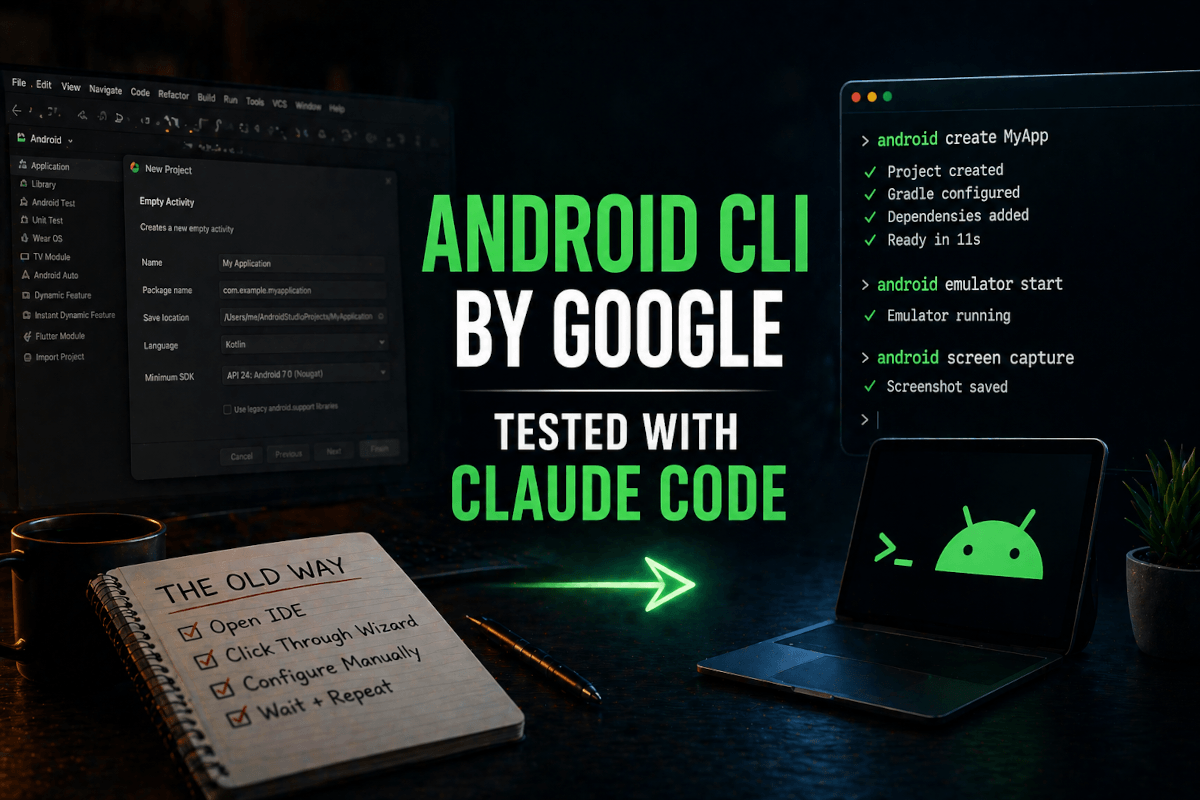
The first thing I tried after installing Google's new Android CLI was the most boring command in the manual. android create. Empty activity template. No clever flags, no creative prompt — just the most ordinary thing a Java-trained brain could think of after fifteen years of clicking through Android Studio's "New Project" wizard.
It finished in eleven seconds. A working Kotlin project. Gradle wired up. Compose dependencies pinned. Manifest sane. I opened the directory in my editor and stared at it like it had insulted me.
I have spent so many hours of my life inside that wizard. Picking minimum SDK versions. Toggling "Include Hilt support." Wondering whether I actually want a navigation graph this time. The wizard is fine. It's also a tax I pay every time I want to start something new on Android — and the tax is paid in attention, not minutes. Eleven seconds in a terminal had just removed it.
That was the first surprise. The second surprise — the one that actually mattered — came about an hour later, when I pointed Claude Code at the Android CLI and watched an agent do something I would have sworn was a year away.
This is what a quiet, important release looks like. Google previewed the Android CLI on April 16, 2026, tucked inside a developer blog post that did not even crack the top of Hacker News that week. No keynote. No launch video with cinematic drone shots. Just a download link at d.android.com/tools/agents, a v0.7 preview tag, and a quiet promise that this thing was built for agents first and humans second.
I want to walk you through what I tested, what worked, what broke, and why I think this CLI is going to reshape how I build Android apps for the next two years. Stick with me through the install — the interesting part shows up around the third command.
Why a CLI for Android Studio Even Exists in 2026
To understand why Google built this, you have to understand the problem it solves. And the problem is not "Android Studio is annoying." Android Studio is fine. The problem is that AI agents cannot use Android Studio.
Think about how Claude Code or Codex or Gemini CLI actually works. The agent reads files. The agent writes files. The agent runs shell commands and reads their output. That is the entire surface area. It is a text-in, text-out system that lives in your terminal. When you ask one of these agents to "build me a new screen for the settings page," it can edit your Kotlin files all day long. What it cannot do is open Android Studio, click File → New → Activity, fill out the dialog, and click OK.
So for the last two years, every agent that touched Android development has been doing this awkward dance — generating files by hand that Android Studio would have generated correctly through templates, fumbling with Gradle config it did not fully understand, and constantly asking the human to "just open Studio and click this for me." The agent was a brilliant collaborator with one hand permanently tied behind its back.
The Android CLI cuts that knot. It exposes the parts of Android Studio that agents actually need — project creation, emulator control, layout inspection, documentation lookup, screenshot capture — as plain commands that any agent can run from a shell. Suddenly the agent has both hands.
The numbers Google reports back this up in a way I did not expect. In their internal benchmarks, agents using the Android CLI completed tasks 3x faster and consumed 70% fewer tokens than agents trying to drive the old toolchain directly. I am usually skeptical of vendor numbers — every tool launch claims it is 10x faster than the thing it replaces, and it almost never is. But the 70% token reduction passes the smell test for me. I will explain why in a minute, when we get to the layout command.
Before any of that, though, let's get the thing installed. Because Google made one decision here that is going to confuse the first wave of developers who try this.
Installing the Android CLI: It's Not Where You Think
If you already have Android Studio installed and you assume the new CLI ships with it — same as adb, sdkmanager, and the rest of the platform tools — you will spend ten frustrated minutes searching your Android/sdk directory for a binary that does not exist there.
The Android CLI is shipped separately. On purpose. You install it from d.android.com/tools/agents, which gives you a single binary for macOS, Linux, or Windows. No SDK manager flags. No Gradle plugin. Just download, move it into your PATH, and you are done.
I installed it on my Mac like this:
# Download the binary (URL valid as of April 2026, v0.7 preview)
curl -L -o android https://d.android.com/tools/agents/macos/android

# Make it executable and move it into PATH
chmod +x android
sudo mv android /usr/local/bin/

# Verify
android -h
The -h output is the first thing worth reading. It lists every command the CLI supports — create, docs, emulator, screen, layout, resolve, skills, init — and a one-line description for each. I read through it twice before running anything else, because the command surface is small enough that you can keep all of it in your head, which matters more than it sounds.
After install, the next move is android init. This is where the magic — and one mild gotcha — happens.
android init
What init does: it scans your home directory for installed coding agents, finds every one it recognizes, and drops a copy of the official Android skills into each agent's skills directory. On my machine it found Claude Code under ~/.claude/, dropped the skill there, and asked me whether I wanted it installed for Gemini CLI and Antigravity too. I said yes to both, because why not.
The mild gotcha: if you do not have any coding agents installed and you run init without arguments, it defaults to installing skills for Gemini and Antigravity at ~/.gemini/antigravity/skills. If you want to scope the install, pass --agent=claude-code or --agent=gemini or whichever target you actually use. I learned this the hard way after wondering for ten minutes why my Cursor install was not picking up the skills — turns out I had to re-run android init --agent=cursor explicitly.
The official skills add subcommand lists 37 supported agent targets at this point — claude-code, gemini, codex, cursor, opencode, windsurf, cline, aider, github-copilot, and a long tail of the smaller coding-agent ecosystem. Whatever you are using, it is almost certainly on the list.
Once init finishes, you are done with setup. The CLI is installed, the skills are loaded into your agents, and you can start using both the human-facing commands and the agent-facing skills together. From here on, everything I tested below works the same whether I run the commands directly or whether I let Claude Code drive them.
The Six Commands That Actually Matter
The CLI exposes about a dozen subcommands, but six of them are the ones I keep reaching for. Let me walk through each one with what I tested and what I learned.
android create — Project Scaffolding That Stops Wasting Your Time
This is the gateway drug. android create generates a full Android Studio project from a template, with sensible defaults baked in. The default template is empty-activity, which gets you a Compose-based starter with Kotlin, AGP 9, and a basic theme already wired up.
android create --name MyApp --package com.mejba.myapp
Eleven seconds. Done. You can pass --template to pick something other than the empty activity — the v0.7 preview ships with templates for Compose Material 3, navigation, and a few other common starting points. I expect this list to grow.
The thing that surprised me here was not the speed. It was the consistency. When you scaffold a project this way, you get the current Google-recommended defaults — the ones the Android team is actively maintaining. No more starting a project in 2026 with patterns that were idiomatic in 2023. The CLI is, in effect, an opinionated freshness pump for new projects.
android docs — The Command That Makes Your Agent Less Wrong
This one looks small and is enormous. android docs search <query> hits the official Android documentation index and returns a list of relevant doc URLs. android docs fetch <url> pulls the content of a specific doc page as plain text.
android docs search "navigation 3 setup"
android docs fetch https://developer.android.com/guide/navigation/navigation-3
Why is this enormous? Because every Android developer who has used an AI agent has watched the agent confidently invent an API that does not exist, or generate code based on a deprecated pattern from 2022, or hallucinate a Compose modifier that was renamed eighteen months ago. The reason it does this is that the agent's training data is frozen at some point in the past, and Android moves fast.
When the agent has access to android docs, it can ground its answer in current documentation at query time. I watched Claude Code use this exact pattern when I asked it to migrate a fragment-based navigation graph to Navigation 3 — first command was android docs search "navigation 3 migration", then android docs fetch on the top result, then it wrote code that actually compiled against the current API.
That is the 70% token reduction you keep reading about, by the way. Not magic. The agent stops asking clarifying questions, stops generating broken code that needs to be fixed, stops looping through five attempts to find the right modifier name. One docs lookup, then one correct edit. The token cost of docs fetch is real but small; the token cost of three rounds of broken-code-and-correction is enormous.
android emulator — Finally, Emulator Control From a Shell
Spinning up an emulator from inside Android Studio is fine. Spinning up an emulator from a CI pipeline, or from inside an agent loop, used to require a stack of avdmanager, sdkmanager, and emulator commands that I had to look up every time. The new CLI replaces that with android emulator list, android emulator create, android emulator start, and android emulator stop.
android emulator list
android emulator start --device pixel_8_pro --api 34
I tested this on a clean machine — fresh SDK install, no pre-configured AVDs. The CLI handled provisioning the device profile, downloading the system image if it was missing, and launching the emulator with sane window settings. About ninety seconds end to end on a wired connection. Nothing I could not have done myself with five terminal commands; everything I did not have to remember how to do.
android layout — JSON Instead of Screenshots, and Why It Matters
Here is where the CLI starts to feel like it was designed by someone who has actually shipped production AI workflows. android layout queries the currently running emulator or connected device and returns a JSON document describing the entire UI hierarchy — every element, its position, its text content, its children.
android layout --pretty --output current-screen.json
The output is a structured tree. Buttons, text fields, recycler view items, modals — all of it represented as JSON nodes with bounds, identifiers, and content. An AI agent can read this in a few hundred tokens and know exactly what is on screen, which buttons exist, what text they show, where they live in the layout.
Compare that with the alternative, which is asking the agent to look at a screenshot and figure out the UI from pixels. Vision models work. They also burn tokens like a wood stove. A 1080p screenshot is thousands of tokens once the model encodes it; a JSON layout for the same screen is usually under five hundred. For agent loops that need to understand UI state on every turn, this is the difference between an affordable workflow and one that costs you ten dollars per task.
There is also android layout --automator, which falls back to the classic UI Automator XML format with the focusable/enabled metadata that test automation engineers have been parsing for years. Same idea, slightly different shape, useful when you need the test-framework conventions.
android screen capture — Screenshots With Annotations Built In
The screen capture command does what you would expect: takes a PNG screenshot of the current device. The interesting flag is --annotate, which draws labeled bounding boxes around every detected UI element and gives each one a number.
android screen capture --output screenshot.png
android screen capture --annotate --output annotated.png
When the agent has an annotated screenshot, it can refer to elements by their numeric label. "Tap element 4" instead of "tap the button that says 'Continue' in the lower right corner." Less ambiguity, fewer wrong taps, much less back-and-forth between the agent and the device.
This is a small ergonomic improvement that compounds enormously over a long agent session. I watched a Claude Code session run thirty UI interactions in a row without a single wrong tap because every reference was numeric. With raw screenshots, you would expect at least three or four misfires across that many actions.
android screen resolve — The Bridge Between Agent and ADB
Once the agent has decided which element it wants to interact with, android screen resolve converts the numeric identifier from an annotated screenshot into actual pixel coordinates on the current device.
android screen resolve --element 4
# returns something like: { "x": 540, "y": 1820 }
You can pipe those coordinates straight into adb shell input tap 540 1820 and you have a working UI automation pipeline. This is the moment the CLI stops being a project-scaffolding helper and starts being a complete agent-driven testing toolchain. An agent can: launch an emulator, install your APK, capture an annotated screenshot, decide what to tap, resolve coordinates, fire the tap through ADB, capture another screenshot, and verify the new state — all in one continuous loop, all in plain commands.
That is, as far as I can tell, the first time anyone has built that loop into the official Android tooling. Not a third-party framework. Not a research project. The actual platform owner shipped it.
If you want to see what an agent ecosystem looks like when it is built around skills like this from the ground up, my agent skills guide for Claude Code walks through the same pattern in a different domain — and the parallels are striking.
What I Built in a Weekend (and What Broke)
Theory is fine. Let me tell you what actually happened when I tried to use this for real work.
The project: a small habit-tracker app, Compose-based, three screens, Room database, Hilt for DI. Nothing exotic. Something I have built variants of half a dozen times to try out new tooling.
The plan: have Claude Code drive the entire build through the Android CLI. I would write the spec in a markdown file, hand it to Claude, and let it do project creation, dependency setup, screen scaffolding, emulator testing, and iteration on its own. I would only step in when something broke.
The result, after a Saturday afternoon: a working app on the emulator. Three screens. CRUD on habits. Persistence working. A janky but functional Compose UI. Total agent-led time: about three hours, with maybe forty-five minutes of human intervention.
What worked beautifully:
The project scaffolding step was instant. Claude ran android create --name HabitTracker --package me.mejba.habits, then immediately asked the docs index for the current best practices on Hilt setup with Compose. It got back the canonical doc, pulled the relevant snippets, and added the dependencies and modules without a wrong turn. The whole project bootstrap from "empty directory" to "compiles and runs" took eight minutes. I was floored.
The emulator loop was where I felt the real shift. Claude would write a screen, run android emulator start, build and install the APK, then android screen capture --annotate to see what the screen actually looked like. When the layout was wrong, it would compare the screenshot against my spec, edit the Compose file, rebuild, and capture again. No human in the loop for the visual feedback — the agent could see its own work and iterate on it. I have wanted this for two years.
What broke:
The first hard wall was Hilt. Claude generated a perfectly correct Hilt module that did not work because the kapt plugin was not enabled in the project Gradle file. The error message was clear; the fix was one line. Claude found it on the second try, but only after I dropped a hint that the issue was Gradle config rather than Hilt code. The CLI does not yet have a gradle subcommand, and that is a gap I felt.
The second hard wall was emulator stability. About two hours in, my emulator hit a state where it would not respond to touch input. android screen capture returned a frozen image. adb shell input tap did nothing. I had to manually android emulator stop, restart it, and reinstall the app. Claude could not have recovered from this on its own — the failure mode was below the CLI's abstraction layer. This will get smoother over time, but it is not smooth yet.
The third issue was more interesting. About 80% of the way through the build, Claude got lazy. The Compose previews it generated stopped using the @PreviewParameter providers it had set up earlier; the test scaffolding it wrote in screen one was not carried into screens two and three. The CLI cannot fix this — it is an agent behavior problem, not a tooling problem. But it is a reminder that the CLI removes friction from the build loop without removing the responsibility to actually direct the agent's work.
If you have read my piece on why context beats configuration in agent design, you know I am a broken record on this point. Better tools do not replace better direction. They just let bad direction fail faster.
The Skills System: This Is the Real Story
I have been talking about commands for two thousand words. Let me back up and tell you about the part that I think is going to matter most over the next year — and that almost no one is talking about yet.
The Android CLI ships with a system of agent skills — markdown files that teach an agent how to use the CLI for a specific task. The v0.7 preview ships with skills for Navigation 3 setup, edge-to-edge migration, AGP 9 upgrade, XML-to-Compose migration, R8 keep-rule analysis, and the Google Play Billing Library upgrade.
When you run android init, those skills get installed into your agent's skills directory. When you ask Claude Code to "migrate this XML layout to Compose," it loads the relevant skill, follows the instructions Google wrote, and uses the CLI commands the skill recommends. The agent is no longer guessing how to do a Compose migration based on its training data — it is following the official Android team's playbook for that specific task.
This is the pattern I have been waiting two years for someone to ship. The platform owner — the team that actually knows the right way to do a thing — writes the playbook once, in a format the agent can read, and every developer using any agent gets the benefit. Not a tutorial buried on developer.android.com that nobody reads. Not a Stack Overflow answer that was correct in 2022. A live, executable, agent-readable instruction set, maintained by the team that owns the platform.
If Google does this well — and "doing this well" means a steady stream of new skills, fast updates when APIs change, deep integration with the rest of the platform — this is going to be the most under-appreciated developer tool of 2026. The CLI is the surface. The skills are the substance.
And here is the thing nobody in the launch coverage is mentioning: you can write your own skills. The format is open. If your team has architectural standards — "always use this DI pattern, never this one" — you can write a skill that teaches every agent on your team to follow them. You can ship that skill as part of your repo. New developer joins, runs android init, suddenly their agent enforces your team's standards. The institutional memory of your codebase becomes executable.
That is a quiet, strange, important thing. I am going to be writing about it more.
What This Means for Android Development in 2026
Let me say what I think is happening here, because I do not see it stated clearly anywhere else.
Google just told the Android developer community that the future of Android development is agent-driven, and they built the official tooling around that assumption. Not as a side bet. Not as an experimental lab project. As the next generation of how the platform expects you to work.
The signal is unmistakable when you look at what they did and did not do. They did not build a "Gemini CLI for Android." They built a CLI that supports 37 agents on equal terms, including Claude Code and Codex — direct competitors to their own Gemini. That is a strategic decision by Google to optimize for developer productivity over agent lock-in. It tells you they have decided the platform wins when developers ship more apps faster, regardless of which agent they use to do it.
That decision is going to put pressure on every other mobile platform owner. Apple's developer tooling story for AI agents is, at the time of writing, basically nonexistent — Xcode is not scriptable in any of the ways an agent needs, and there is no Apple-blessed CLI for project creation, simulator control, or UI inspection. If the productivity gap between agent-driven Android development and click-through-Xcode iOS development becomes 3x, as Google's numbers suggest, that gap will start showing up in shipping velocity. Cross-platform teams will notice.
For individual developers, the practical implication is simpler. If you build for Android and you are not yet using an AI agent in your workflow, the on-ramp just got a lot shorter. The CLI handles the parts of the workflow that used to require the IDE. Claude Code or Gemini CLI or Codex handles the parts that used to require you. You become the architect, the reviewer, and the person who knows what good looks like — and the agent does the typing.
If you want to see how this same pattern is unfolding on the desktop side, my walkthrough of Antigravity, Google's IDE for AI agents, covers the same shift in IDE-shaped workflows. Same playbook, different surface area.
Where the Android CLI Is Still Rough
I have been positive in this post because I think the launch is genuinely important. But the v0.7 preview tag is honest. There are real rough edges.
There is no gradle subcommand yet. When the agent needs to add a plugin, modify a dependency, or change a build flavor, it has to edit build.gradle.kts files directly. The agent can do this; it is not always great at it. A gradle add-plugin or gradle add-dependency command would close one of the biggest remaining gaps.
The skills library is small. Six skills at launch is a starting point, not a finished system. The XML-to-Compose migration skill is excellent; the Google Play Billing skill is fine; the others I have not used in production yet. The library needs to grow to maybe forty or fifty skills before it covers the actual surface area of common Android tasks.
The emulator integration is good but not bulletproof. I hit one hard freeze in three hours of use. That is not a disaster, but it is not yet at the reliability bar where I would trust it to run unattended overnight on a CI pipeline.
The documentation index covers developer.android.com, Firebase docs, and Kotlin docs. It does not yet cover Material Design specs, AndroidX release notes, or the Jetpack composables reference in any deep way. Those will come. For now, the agent will sometimes hit a docs query that returns nothing useful and have to fall back on its training data.
None of these are blockers. All of them are the kinds of issues that get fixed in the next three to six release cycles. I am betting Google ships v1.0 by Google I/O 2026 with most of these gaps closed.
What to Do This Week
If you build Android apps and you are reading this, here is what I would do this week.
Install the CLI. It takes five minutes. Run android init and let it install skills into whatever agent you already use. Try android create on a throwaway project — get a feel for how fast project bootstrap can be when the wizard is gone.
Then pick one real task you have been avoiding. A Compose migration. A Navigation 3 upgrade. An R8 cleanup. Anything where the work is mostly mechanical but tedious. Hand it to your agent with the CLI installed and watch what happens. The first time an agent successfully drives a real Android task end to end, something clicks in how you think about the rest of the work on your plate.
Then start writing skills for your own team. Pick one architectural pattern your team enforces — your DI conventions, your testing setup, your error-handling approach — and write a skill that teaches an agent to follow it. Drop it in your repo. Let your teammates android init against it. You will have given your team an institutional-memory upgrade that compounds every time someone uses an agent on the codebase.
Android CLI by Google: Reader Questions
Is the Android CLI free?
Yes. The Android CLI is a free download from d.android.com/tools/agents and ships under the same open licensing as the rest of the Android platform tools. There is no paid tier or enterprise license at this point.
Does the Android CLI work with Claude Code?
Yes. Claude Code is one of the 37 supported agent targets. After installing the CLI, run android init --agent=claude-code to install the official skills into your Claude Code skills directory.
Do I still need Android Studio if I have the CLI?
For most agent-driven workflows, no. You will still want Android Studio for visual debugging, profiler work, and complex layout inspection. But day-to-day project creation, dependency management, emulator control, and UI testing can now happen entirely from the terminal.
How is the Android CLI different from adb?
adb is a low-level device debugging bridge. The Android CLI is a higher-level workflow tool that wraps adb, sdkmanager, avdmanager, parts of Gradle, and the documentation index into a single agent-friendly interface. The CLI uses adb under the hood for some operations.
What does android init actually do?
It scans your home directory for installed coding agents, then drops the official Android skills into each agent's skills directory. This teaches every agent on your machine how to use the CLI. Pass --agent=<name> to scope the install to a single agent.
The Boring Command That Changed My Mind
Back to where I started. android create. Empty activity template. Eleven seconds.
It would be easy to look at that command and shrug. Project scaffolding is not the hard part of Android development. Anyone can scaffold a project. The hard part is everything that comes after.
But the reason that command stuck with me — the reason I am sitting here writing three thousand words about a developer tool on a Tuesday — is that it told me what Google has decided. They have decided the friction of starting things matters. They have decided the agent ecosystem matters more than agent lock-in. They have decided that the next generation of Android developers will spend their attention on what to build, not on how to bootstrap the building of it.
That is a bet on a different kind of developer than the one Android Studio was built for. It is a bet I am happy to take.
The question for you is which side of that bet you want to be on. Spend the five minutes. Install the CLI. Run a real task through your agent of choice. See what eleven seconds feels like when the wizard is gone. Then ask yourself: what else in your workflow has been a tax you forgot you were paying?
Whether Android CLI Belongs in Your Toolkit
Google's Android CLI paired with Claude Code is a genuine shift — it makes agent-driven Android development feel possible instead of theoretical. It's early, and the breakage is real, but the direction is unmistakable.
If you build for Android, spend a weekend with it on a throwaway project before it matures. You'll understand where the ecosystem is heading faster than any changelog will tell you.
If you want help wiring agent workflows into mobile development, that's something I do through Ramlit. What works and what breaks is above.