All-levels Artificial Intelligence 15h 6m Featured

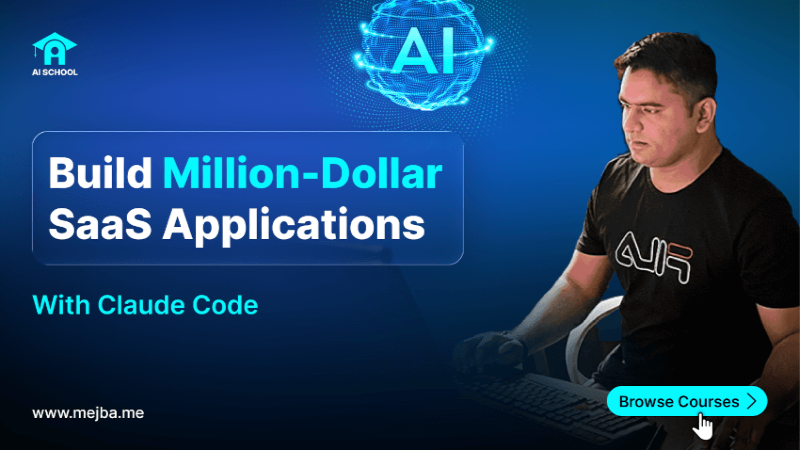
Claude Code & Cowork Masterclass 2026: Build AI Apps, Autonomous Agents & Business Automation with Skills, Plugins & MCP

Master Claude Code, Cowork, Agent Skills, Plugins & MCP to ship full-stack AI apps, automate finance, legal, marketing and research workflows, and deploy autonomous agent teams — no prior coding required.

8 Chapters
118 Lessons
916 min total
Free

Master Claude Code and Cowork to automate real business work — no coding required Companies are scrambling to hire people who can operate Claude end-to-end. This masterclass makes you that operator: a power user of Claud...

What you'll learn

  • Masterclass Introduction, Outcomes & Workspace Setup
  • Claude Cowork, Skills & Plugins for Workflow Automation
  • Claude Chat Mastery: Research, Writing & Prompt Engineering
  • Claude in Microsoft Excel: Data Analysis & Wall Street Modeling
  • Claude in PowerPoint: Branded Decks & Executive Reports
  • Claude Code Foundations: Setup, Slash Commands, Skills, Hooks & Plugins

+ 2 more chapters below

Engr Mejba Ahmed

Engr. Mejba Ahmed

Course Instructor

100% Free

118 lessons · certificate · no card

Claude Code & Cowork Masterclass 2026: Build AI Apps, Autonomous Agents & Business Automation with Skills, Plugins & MCP

About This Course

Master Claude Code and Cowork to automate real business work — no coding required

Companies are scrambling to hire people who can operate Claude end-to-end. This masterclass makes you that operator: a power user of Claude Code (the agentic terminal that ships full-stack apps) and Claude Cowork (the desktop AI that runs finance, legal, marketing, and research workflows) — with no prior coding experience assumed.

Across 8 build-on-each-other sections you learn to automate the work businesses actually pay for.

What you'll learn:

  • Cowork, Skills & Plugins — automate file and Excel work, connect Gmail/Slack/Salesforce via MCP, and build data-cleaning and financial plugins end-to-end
  • Claude Chat mastery — repeatable research-and-charts pipelines, prompt-engineering patterns (CoT, ReAct, self-critique), and long-form writing without the generic AI tone
  • Claude in Excel — natural-language data analysis, and Wall-Street-style DCF and LBO modeling
  • Claude in PowerPoint — branded, executive-ready decks from a single prompt, with auto speaker notes
  • Claude Code foundations — setup in the desktop app and VS Code, slash commands, Skills, hooks, plugins, MCP servers, and subagents
  • Full-stack apps — build a real app with Claude Code, using CLAUDE.md and context tactics plus Ralph loops for quality
  • Autonomous agents & teams — agent anatomy, the OpenAI Agents SDK, and designing multi-agent teams with roles, handoffs, and orchestration

Who this is for: anyone — coder or not — who wants to turn Claude into a business-automation and app-building engine. By the end you'll ship apps, automate cross-tool workflows, and deploy autonomous agent teams.

Who this course is for

Learners at any level
Developers building real-world skills
Anyone serious about Artificial Intelligence

Suitable for all levels — from newcomers to experienced practitioners.

Course Curriculum

8 chapters 118 lessons 916 min

10 lessons available to preview

3 Success Habits to Get the Most From This Masterclass
4min
4 Download Course Resources, Datasets & Workspace Files
1min
2 Cowork Architecture: How the Desktop Agent Operates Safely
7min
3 Hands-On Demo: File Organization & Excel Skill Walkthrough
15min
4 Model Context Protocol (MCP) & Connectors Explained
7min
5 Hands-On Demo: Connect Gmail to Cowork & Send Smart Replies
8min
6 Tokens & Context Windows: The Cost-of-Thinking Mental Model
10min
7 Practice Question: Estimate Tokens for a Real Workflow
1min
8 Practice Solution: Walking Through the Token Estimate
4min
9 Agent Skills Deep Dive: Anatomy of a SKILL.md File
17min
10 Practical Demo: Build a LinkedIn Post Skill End-to-End
15min
12 Data Cleaning Plugin Build — Part 1: Plugin Scaffold
10min
13 Data Cleaning Plugin Build — Part 2: Pandas Steps & Validation
11min
14 Data Cleaning Plugin Build — Part 3: Reports & Edge Cases
6min
15 Practice Question: Pick the Right Visualization for the Data
1min
16 Practice Solution: Choosing Charts for the Data Story
7min
17 Data Plugin — Part 4: Statistical Analysis & PowerPoint Output
10min
19 Build a Finance Plugin — Part 1: Inputs & Assumptions
13min
20 Build a Finance Plugin — Part 2: DCF Engine & Sensitivities
12min
21 Build a Finance Plugin — Part 3: Reports, Tests & Packaging
9min
22 Connect Slack & Salesforce to Cowork via MCP for Cross-Tool Automation
10min
23 Section Recap: Your Cowork Operator Cheat Sheet
5min
1 Research + Charts in Pure Chat: A Repeatable Pipeline
8min
2 Prompt Engineering Fundamentals: Role, Goal, Constraints
9min
3 Advanced Prompt Patterns: CoT, ReAct & Self-Critique
8min
4 Deep Research Mode: When to Use It & How to Steer It
10min
5 Long-Form Creative Writing Without the Generic AI Tone
6min
6 Brainstorming Frameworks That Beat "Give Me Ideas"
3min
7 Front-End Design Skill: Dashboard from a One-Line Brief
9min
8 PDF → Excel + PowerPoint Financial Extraction Walkthrough
7min
10 Learning Mode: Master Any Topic Faster with Claude Chat
5min
11 Coding in Chat: When Chat Wins Over the IDE
4min
12 Writing Workflows: Drafts, Edits & Style Locking
6min
13 Image Generation: Claude vs. Gemini — Honest Comparison
4min
2 Installing & Authorizing the Claude Excel Add-In
2min
3 Generating Data Insights from Raw Sheets
8min
4 Statistical Summaries & Conditional Row Filters
5min
5 In-Sheet Data Visualization with Claude
6min
6 Sort Datasets Like a Pro Using Natural Language
3min
7 Filter Datasets with Free-Form Claude Prompts
2min
8 Conditional Formatting & Color-Coding via Claude
3min
9 Imputing Missing Values Without Breaking the Distribution
8min
11 Discounted Cash Flow Modeling Intuition Refresher
7min
12 Build a DCF in Claude Step-By-Step
9min
13 Leveraged Buyout (LBO) Concepts Explained Plainly
6min
14 Build an LBO Financial Model in Claude
4min
15 Practice Question: Excel Data Analysis Scenario
3min
16 Practice Solution: Walking Through the Analysis
12min
1 Module Goals & Installing the Claude PowerPoint Add-In
4min
2 Generate Branded Decks from a Single Prompt
11min
3 Auto-Add Speaker Notes for Every Slide
4min
4 Slide Design Polish: Layout, Hierarchy & Color
6min
5 Source Online Content & Re-Tone Slide Copy
7min
6 Convert Long PDFs into Executive-Ready Decks
8min
7 Summarize & Re-Order Existing PPTX Files
7min
8 Generate Decks from a Locked Brand Template
5min
9 Practice Coaching: Claude Reviews Your Delivery
5min
10 Claude vs. Copilot vs. NotebookLM for Decks
10min
1 Method 1: Claude Code in the Desktop App
8min
2 Method 2: Claude Code Inside VS Code (Full Setup)
12min
3 Quick Reference: Mac & Windows Install Commands
1min
4 The Claude Code Mental Model: The Agentic Terminal Loop
12min
5 Project 1 — Landing Page with Pure Claude Code (Part A)
16min
6 Skills in Claude Code: Front-End Design Skill Tour
11min
7 Installing & Verifying the Front-End Design Skill
9min
8 Project 1 — Landing Page Powered by Front-End Skill (Part B)
12min
9 Project Skills vs. .claude Skills: Which Wins & Why
3min
10 Practice Question: Pet Grooming Landing Page Brief
3min
11 Practice Solution: Building the Pet Grooming Page
11min
13 Project 2 — Build a Brand Slash Command (Part 1)
8min
14 Project 2 — Slash Command Logic & Arguments (Part 2)
11min
16 Practice Question: Author a Slash Command for Your Brand
2min
17 Practice Solution: Slash Command Walkthrough
12min
18 Claude Code Plugins: Install, Build & Share
14min
19 Hooks: Automating Pre and Post Tool-Use Events
10min
20 CLAUDE.md Project Memory: What Belongs There
8min
21 MCP Servers in Claude Code (Local & Remote)
9min
22 Subagents: Parallel Specialists for Complex Tasks
8min
23 Foundations Recap & Personal Cheat Sheet
5min
1 Writing a CLAUDE.md That Actually Works
11min
2 Context Window Tactics: Compaction, /clear & /compact
10min
3 Calorie Tracker — Phase 1: Project Init & Gemini API Key
9min
4 Calorie Tracker — Phase 1: First-Run App Build
18min
5 Calorie Tracker — Phase 2: Gemini AI Integration
6min
6 Calorie Tracker — Phase 2: API Routes Plan
6min
7 Calorie Tracker — Phase 2: API Routes Implementation
8min
8 Calorie Tracker — Phase 3: Ralph Loop Plan for Quality
5min
9 Calorie Tracker — Phase 3: Ralph Loop Implementation
11min
1 The 2026 State of AI Agents: Where We Actually Are
8min
2 Agent Anatomy 101: Loop, Tools, Memory & Goals
4min
3 End-to-End Walkthrough: An Agent Doing Real Work
10min
4 MCP 101 for Agent Builders: The Programmatic View
5min
5 Agentic Frameworks Compared: SDKs, LangGraph, CrewAI, Direct
3min
6 OpenAI Agents SDK 101: Core Primitives
5min
7 Run Your First Agent with the OpenAI Agents SDK
5min
8 Personal Finance Agent — Architecture Overview
4min
9 Personal Finance Agent (No Memory) — Code Walkthrough
11min
10 Personal Finance Agent (With Memory) — Code Walkthrough
3min
11 Auto-Build Agents with Claude Code + Agents SDK — Part 1
11min
12 Auto-Build Agents with Claude Code + Agents SDK — Part 2
9min
13 Auto-Build Agents with Claude Code + Agents SDK — Part 3
10min
14 Auto-Build Agents with Claude Code + Agents SDK — Part 4
8min
15 Designing a Team of AI Agents: Roles & Handoffs
8min
16 Agent Team with OpenAI SDK — Part 1: Roles & Skeleton
10min
17 Agent Team with OpenAI SDK — Part 2: Tools & Knowledge
7min
18 Agent Team with OpenAI SDK — Part 3: Handoffs & Routing
7min
19 Agent Team with OpenAI SDK — Part 4: Orchestration & Memory
8min
20 Agent Team with OpenAI SDK — Part 5: Ship, Monitor & Iterate
7min

Your Instructor

Engr Mejba Ahmed — AI School instructor

Engr. Mejba Ahmed

AI Developer · Software Engineer · Entrepreneur

I build production AI systems and full-stack applications for a living, and I teach the exact workflows I use in real projects — not theory. Over 8+ years I've shipped 1,500+ projects, founded Ramlit Limited, and now build agentic AI tooling with Claude, GPT and open models. AI School is where I share that hands-on playbook so you can build and ship real work.

8+ years in production 1,500+ projects shipped Founder, Ramlit Limited

FAQ

Frequently asked questions

Yes. AI School is Open Access — enter your email once to unlock all 118 lessons instantly. No credit card and no trial.

Suitable for all levels — from newcomers to experienced practitioners.

Yes. Complete every lesson to earn a verifiable certificate of completion you can add to your LinkedIn profile and CV.

Forever. Learn at your own pace on any device — your progress is saved automatically as you go.

Engr. Mejba Ahmed — an AI developer and software engineer with 8+ years of hands-on production experience.

Still have a question about this course?

Talk to an advisor
Daily Newsletter

Get AI School Daily on LinkedIn

Daily AI, Cloud & SaaS engineering tips — delivered straight to your LinkedIn feed.

Ratings & Reviews

Write a Review

No reviews yet

Be the first to share your experience with this course and help other students.

Write the First Review

Share Your Experience

Your honest feedback helps other students and helps us improve.

Solve 4 x 9 = ?

Reviews are moderated before publishing

Engr Mejba Ahmed

Engr Mejba Ahmed

AI assistant · trained on my work

👋

Hey there!

Quick Actions

WhatsApp Direct line to me

Chat on WhatsApp

+880 1723 741224 · Replies within the hour on working days

Popular Questions

Engr Mejba Ahmed is connected
Engr Mejba Ahmed is typing...
Engr Mejba Ahmed avatar

✉ Want me to follow up? Drop your email

Engr Mejba Ahmed avatar

📞 Connect Directly

Choose how you'd like to reach me

WhatsApp

+880 1723 741224

Email

mejba.13@gmail.com

✓ Details sent! I'll get back to you shortly.

Powered by OpenAI

335+

Blog Posts

25

AI Courses

63

Projects

Services & Expertise

Pricing & Process

Learning & Resources

Connect & Support