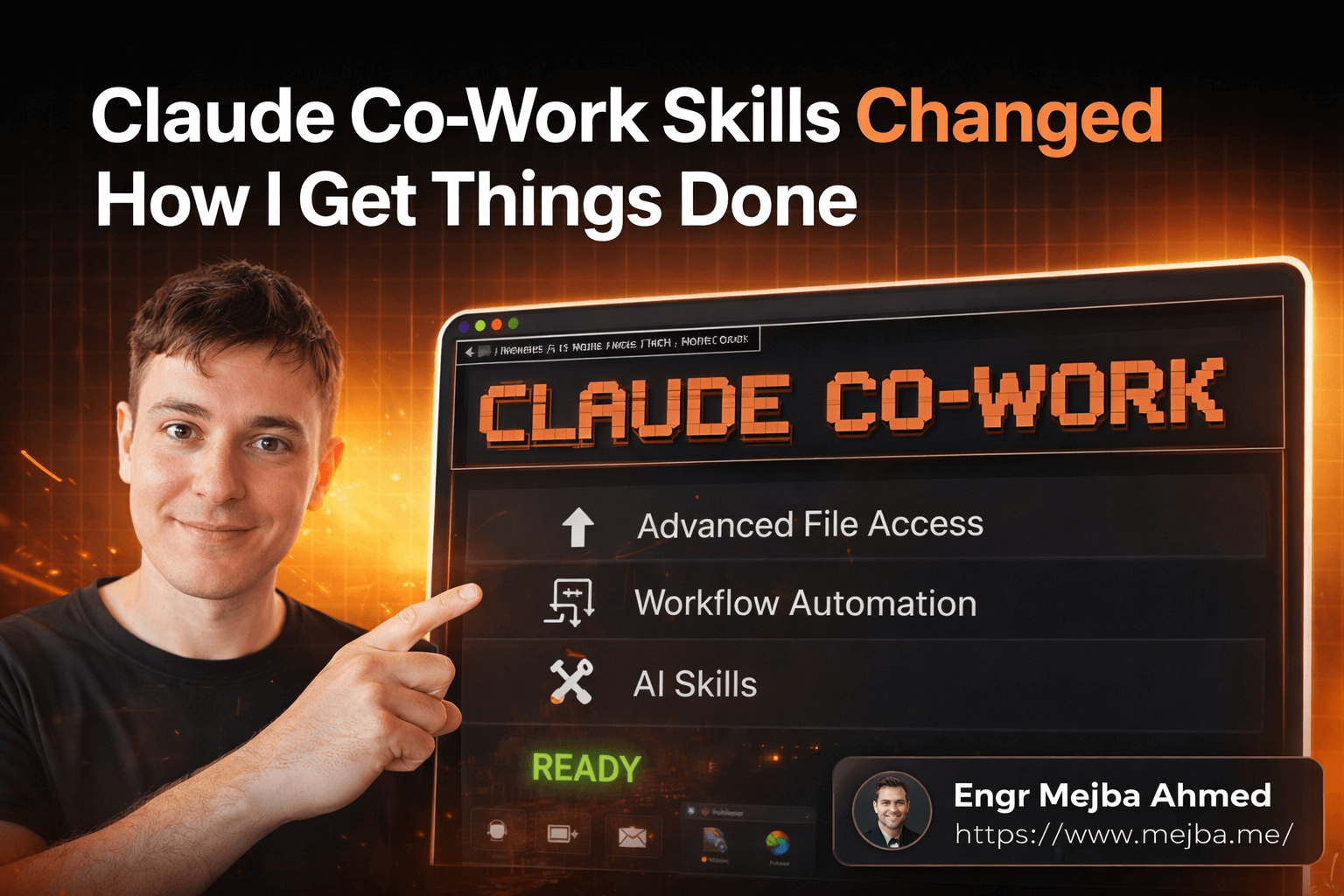
Claude Co-Work Skills Changed How I Get Things Done
I almost missed it. While everyone was arguing about which LLM writes better code or generates prettier images, Anthropic quietly shipped something that — and I don't say this lightly — changed the entire shape of my workday. Not my coding workflow. Not my deployment pipeline. My actual, day-to-day, "answer emails, organize files, prep content, update project boards" workflow.
Claude Co-Work sat on my desktop for three days before I really dug in. I'd been deep in Claude Code territory, building agents, wiring up MCP servers, shipping production apps. Co-Work felt like the "lite" version. The one for people who don't write code.
I was completely wrong.
After spending a full week using Claude Co-Work for every non-coding task I could throw at it, I realized something that shifted my perspective on where AI tools are actually heading. The real power isn't in the chat. It isn't in the file access or the browser automation — though those are genuinely useful. The real power lives in something called Skills, and once you understand what they actually are, you can't unsee the gap between how most people use AI assistants and what's actually possible.
Here's what I mean — and why I think Skills represent a bigger deal than most people realize right now.
Why I Kept Reaching for the Wrong Tool
For the past year, my AI workflow looked like this: Claude for brainstorming and research. Claude Code for building applications. And then a weird gap in between where I'd manually handle everything else — sorting through downloads, repurposing content across platforms, updating project trackers, formatting documents for clients.
Sound familiar? That middle layer of work — the stuff that's too structured for a simple chat prompt but not complex enough to justify spinning up a full development environment — eats hours every week. I tracked it for two weeks before trying Co-Work. The number was embarrassing: roughly eleven hours per week on tasks that felt productive but were basically sophisticated file management and content shuffling.
The problem wasn't that I didn't have AI tools. The problem was that my AI tools operated at the wrong altitude. Claude chat lives at 30,000 feet — great for big-picture thinking, terrible for executing multi-step workflows. Claude Code lives at ground level — perfect for building things, overkill for organizing a folder of downloaded PDFs by project.
Co-Work occupies that middle altitude. And it turns out, that's where most of my actual work happens.
But the file access and connectors aren't what sold me. What sold me happened on day three, when I discovered what Skills could actually do — and I'm going to walk you through the exact moment that clicked.
What Claude Co-Work Actually Is (And Isn't)
Before I get into Skills, let me draw the lines clearly. Because I see people conflating Claude's three products constantly, and the confusion makes them miss what each one is genuinely best at.
Claude is your thinking partner. You ask questions, you brainstorm, you analyze documents, you get answers. The interface is a chat window. The mental model is a conversation. When I need to reason through a technical architecture decision or draft a proposal outline, Claude is where I start.
Claude Code is your building partner. It writes production-grade code, manages files, runs terminal commands, handles git operations, and orchestrates multi-agent workflows. I use it daily for software development — it's the backbone of my AI agent systems. The mental model is a collaborative IDE.
Claude Co-Work is your doing partner. It accesses your files directly, connects to your software stack through connectors and MCPs, runs a browser when it needs to, and executes multi-step workflows against your actual tools. The mental model is a capable assistant sitting at the desk next to you, with access to your computer.
Here's a comparison that helped me frame it:
| Dimension | Claude | Claude Code | Claude Co-Work |
|---|---|---|---|
| Best for | Thinking, analyzing | Building, shipping | Executing, automating |
| File access | Upload only | Full project access | Full computer access |
| Software integration | None | API/MCP | Connectors + MCP + browser |
| Reusable workflows | No | Agent configs | Skills |
| Code execution | No | Full | Basic (data viz, formatting) |
The key distinction most people miss: Co-Work isn't a dumbed-down Claude Code. It's a different tool for a different job. I still use Claude Code every day for development work. Co-Work handles everything else.
That "everything else" turned out to be a lot more than I expected. But the real unlock came when I stopped using Co-Work as a fancy file manager and started building Skills.
Skills: The Part Nobody's Talking About Enough
Here's the thing about Skills that surprised me. I expected them to be like custom GPTs — basically system prompts with a nice wrapper. Upload some instructions, maybe attach a knowledge file, give it a name. Done.
That's not what Skills are. Not even close.
A Skill in Claude Co-Work is a packaged workflow that combines specific instructions, knowledge sources, integration capabilities, and execution logic into a reusable unit. Think of it as a micro-agent that knows how to do one thing really well, has access to the tools it needs, and activates only when relevant.
What makes this different from a system prompt or a custom GPT? Three things that matter in practice:
First, multiple Skills can run in the same context window. This is huge. With custom GPTs, you pick one and you're locked into that context. With Skills, I can have my "YouTube Repurposer" skill, my "Newsletter Writer" skill, and my "Social Media Formatter" skill all active simultaneously. Co-Work figures out which one to engage based on what I'm asking it to do.
Second, Skills trigger their knowledge and instructions selectively. Instead of cramming everything into one massive system prompt that dilutes the model's attention, each Skill brings its own context only when it's called upon. This means the model isn't trying to juggle fifteen different instruction sets at once. It's focused.
Third, Skills can take actions. Not just generate text — actually do things. Update a Notion database. Move files into specific folders. Post to a platform. Run a browser session to check something. This is where the line between "AI assistant" and "AI coworker" starts to blur in a way that actually matters.
I built my first real Skill on day three. A YouTube-to-newsletter pipeline that downloads a transcript, extracts key insights, generates a subject line, writes a hook, and produces a full newsletter draft — all in my specific voice, with my specific formatting, referencing my specific past newsletters for style consistency.
The first time it ran, it did in four minutes what used to take me about ninety. And the quality was better than what I'd been producing manually, because the Skill had access to my actual newsletter archive as a knowledge source and could maintain consistency I'd been struggling with.
That was the moment it clicked.
How I Actually Set Up Co-Work (The Practical Parts)
Let me walk you through what the setup process actually looks like, because the onboarding experience matters and there are a few things I wish someone had told me upfront.
Step 1: Installing and connecting your files.
Co-Work runs as a desktop application. Once installed, you grant it access to specific folders on your machine. I gave it access to my Downloads folder, my Projects directory, and my Content folder where I store blog drafts and newsletter archives.
Pro tip: Don't give it access to everything. Be deliberate about which folders it can see. Not because of security concerns — though those matter — but because giving it too many files creates noise. Start with two or three folders that represent your active work.
Step 2: Setting up connectors.
This is where Co-Work starts pulling ahead of regular chat interfaces. Connectors are built-in integrations with popular software — think of them as pre-configured API connections that just work.
For the software you use that doesn't have a built-in connector, you've got two options. You can set up an MCP (which involves editing a config.json file — similar to how MCPs work in Claude Code, if you've done that before). Or you can let Co-Work use its browser automation to interact with the software through its web interface.
I set up MCPs for three tools I use daily. The process looked like this:
{
  "mcpServers": {
    "notion": {
      "command": "npx",
      "args": ["-y", "@notionhq/mcp-server"],
      "env": {
        "NOTION_API_KEY": "your-key-here"
      }
    }
  }
}
If you've configured MCPs for Claude Code, this syntax will feel familiar. The difference is that Co-Work's connector system handles the authentication flow more gracefully — you're not digging through API dashboards as often.
Step 3: Understanding browser automation.
This one caught me off guard. Co-Work can open a browser session and navigate websites autonomously. Not in a "let me screenshot and analyze" way — in a "let me actually click through the interface and do things" way.
I used this to pull data from a platform that doesn't have an API. Co-Work opened the browser, navigated to the dashboard, extracted the metrics I needed, and brought them back into our conversation. The browser session runs in the background, so I could keep working on other things while it did its thing.
Is it as reliable as a proper API integration? No. Browser automation is inherently fragile — UI changes can break it. But for platforms where there's no API and you're not going to build a scraper, it's genuinely useful.
Step 4: Basic code execution.
Co-Work can run simple code — but don't confuse this with Claude Code's capabilities. The code execution here is designed for practical tasks: generating a chart from spreadsheet data, resizing an image, reformatting a CSV. Think "quick utility scripts," not "building applications."
I've used it to create data visualizations from exported analytics data, and to batch-resize images for blog posts. Both times, it was faster than opening a dedicated tool.
If you've made it this far, you understand the foundation. But the setup is just the scaffolding. What you build on top of it — the Skills — is where things get genuinely powerful.
Building Skills That Actually Save Time
Let me share the three Skills I built during my first week, what they do, and — more importantly — what I learned about building good Skills versus mediocre ones.
Skill #1: The YouTube Repurposer
This was my first build, and honestly, it was rough on the first attempt. Here's what I learned.
My initial approach was to create a massive Skill with every instruction baked in: download transcript, summarize, write newsletter, format for social, create tweet thread, generate blog post ideas. One Skill to rule them all.
Terrible idea. The Skill tried to do too much, the outputs were generic, and it couldn't maintain voice consistency across such different output formats. I learned this the hard way so you don't have to.
What worked: breaking it into three focused Skills. One for transcript extraction and insight mapping. One for newsletter generation (with my newsletter archive as a knowledge source). One for social media formatting (with examples of my best-performing posts as reference).
Each Skill does one thing well. When I need the full pipeline, I chain them together conversationally: "Pull insights from this video, then run them through my newsletter Skill." Co-Work handles the handoff between Skills seamlessly.
Skill #2: The Download Organizer
Simpler but surprisingly useful. This Skill monitors my Downloads folder and organizes files based on rules I defined: PDFs go to a Research folder, images get sorted by project based on filename patterns, code files go to a Sandbox directory.
The key insight here: I didn't just set rules for file types. I gave the Skill context about my active projects, so it could make intelligent decisions. A PDF named "security-audit-report" goes to the xCyberSecurity project folder. An image with "colorpark" in the name goes to the design assets directory.
Skill #3: The Content Brief Generator
This is the one my team actually asks about the most. Before I write any blog post (including this one), I run a Skill that analyzes the topic, checks what's already ranking for relevant keywords, identifies gaps in existing content, and generates a structured brief with hook options, section outlines, and key statistics to include.
The Skill pulls from three knowledge sources: my past blog posts (for voice consistency), a curated list of content frameworks I've found effective, and real-time web data through browser sessions.
Building this one taught me the most important lesson about Skills: the knowledge sources are everything. A Skill with great instructions but no knowledge sources produces the same generic output as a system prompt. A Skill with mediocre instructions but excellent knowledge sources produces something surprisingly good. The knowledge sources are what give each Skill its unique intelligence.
Where to Find Skills (Without Building Everything Yourself)
Here's something that accelerated my workflow dramatically: you don't have to build every Skill from scratch. A community ecosystem is already forming around Co-Work Skills, and some of these community-built Skills are genuinely excellent.
Three marketplaces I've been pulling from:
Smithery has a growing collection of Skills, many built by developers who are solving real workflow problems. I found an Excel analysis Skill here that handles pivot table generation and data summarization better than anything I could have built in a weekend.
SkillHub skews more toward content creation and marketing workflows. The Skills here tend to be more polished in terms of instructions, though they sometimes need customization to match your specific voice and workflow.
SkillsMPP is the most eclectic — everything from ad copy generation to web app testing workflows. Quality varies more here, but I've found a few gems.
To install a community Skill, you download it as a zip file and import it through Co-Work's settings. From there, you can use it as-is or customize it — adding your own knowledge sources, tweaking instructions, or combining it with other Skills.
Pro tip: The best approach I've found is to install a community Skill, use it for a few tasks, and then iterate on it. Most community Skills give you about 70% of what you need. The last 30% — the customization that makes it truly yours — is where the magic happens.
There's also a third path that I didn't expect to be as useful as it is: converting your existing custom GPTs into Skills. If you've built custom GPTs with system prompts and knowledge sources, you can share those with Claude and ask it to generate a Co-Work Skill that replicates the same functionality. I converted three of my custom GPTs this way, and the Co-Work Skill versions are noticeably better because they can take actions, not just generate text.
The Honest Assessment: What Works, What Doesn't, What Worries Me
A week in, I'm genuinely bullish on Co-Work and Skills. But I'd be dishonest if I painted this as flawless, and I think honest assessments serve you better than hype.
What works really well:
The Skills concept is sound. Modular, reusable workflows that activate contextually and can take real actions — that's genuinely a step forward from anything I've used before. The ability to run multiple Skills in the same conversation without context conflicts is a technical achievement I don't think people appreciate enough.
File access and organization work reliably. I've had zero issues with Co-Work reading, moving, or modifying files on my machine. The permission model feels right — it asks before doing anything destructive.
The connector system, when it works, makes integration feel effortless. Software that has a built-in connector just works, with minimal setup friction.
What's still rough:
Browser automation is inconsistent. Some sessions work perfectly; others get confused by complex page layouts or dynamic content. I wouldn't rely on it for anything mission-critical. Treat it as a convenience feature, not a core workflow component — at least for now.
MCP setup for non-standard tools still requires technical knowledge. If you're not comfortable editing JSON configuration files and managing API keys, you'll hit friction. The gap between "built-in connector" and "manual MCP setup" is steep.
The built-in Skill library is thin. Most of the value comes from community Skills or custom builds, which means new users face a cold start problem. You need to invest time upfront before Co-Work becomes genuinely useful, and that investment barrier will turn off people who want immediate results.
What worries me:
I'm concerned about the Skill marketplace fragmenting. Three different marketplaces already, with no standardized quality metrics or review systems. This feels like the early days of app stores — exciting but chaotic. Finding good Skills is going to become its own skill.
I'm also thinking about the security implications of Skills that take actions across connected software. A poorly built Skill with write access to your Notion workspace or file system could cause real damage. Right now, Co-Work asks for confirmation before destructive actions, but as people build more autonomous workflows, the surface area for accidents grows.
And honestly? I'm not sure yet whether Co-Work replaces dedicated automation tools like Make or Zapier for complex, multi-step workflows. For simple chains of actions, Co-Work is easier to set up and more flexible. For complex integrations with error handling, conditional logic, and retry mechanisms, purpose-built automation platforms still have the edge.
What a Week With Co-Work Actually Produced
Let me give you real numbers from my first week, because vague claims about "productivity gains" don't help anyone make decisions.
Before Co-Work (tracked for two weeks prior):
- ~11 hours/week on non-coding organizational tasks
- Newsletter production: 90 minutes per issue
- Content brief creation: 45 minutes per brief
- Download folder: perpetual chaos
- YouTube-to-content repurposing: 2+ hours per video
After one week with Co-Work and five custom Skills:
- ~4 hours/week on the same category of tasks (64% reduction)
- Newsletter production: 20 minutes per issue (mostly review and editing)
- Content brief creation: 8 minutes per brief
- Download folder: automatically organized, zero manual effort
- YouTube-to-content repurposing: 15 minutes per video
Those aren't theoretical numbers. That's actual time tracked with Toggl across a real work week.
The quality question matters too. My newsletters from the Co-Work-assisted week got 12% higher open rates than my three-month average. My content briefs were more thorough. The blog posts I wrote from those briefs were better structured.
Is this because Co-Work is magic? No. It's because the Skills had access to my actual archives and could maintain consistency in ways my tired brain at 9 PM on a Tuesday couldn't. The AI didn't replace my judgment — it gave my judgment better raw material to work with.
The realistic timeline for getting value: expect to spend 3-4 hours in the first few days setting up connectors, building your first Skills, and learning the interface. By day three, you should start seeing time savings. By week two, if you've built Skills that match your actual workflow, the ROI is hard to argue with.
Quick wins versus long-term gains: file organization and simple content formatting produce immediate results. Skills that involve knowledge sources and multi-step workflows take longer to build but produce dramatically larger time savings over weeks and months.
What This Really Means for How We Work With AI
Three days into using Co-Work, I stopped thinking of it as a product and started thinking of it as a signal. A signal about where the entire AI-assisted work landscape is heading.
The move from "chat with AI" to "AI takes actions on your behalf" isn't just an incremental improvement. It's a category shift. And Skills — modular, reusable, context-aware, action-capable workflows — feel like the right abstraction layer for that shift.
My one specific challenge for you if you're reading this: pick one task you do every week that's structured enough to describe in steps but tedious enough that you dread it. Build a Skill for it. Just one. Give yourself an hour to set it up. Then run it for a week and measure what happens.
That single experiment will tell you more about where your work is heading than any article — including this one — ever could.
Let's Work Together
Looking to build AI systems, automate workflows, or scale your tech infrastructure? I'd love to help.
- Fiverr (custom builds & integrations): fiverr.com/s/EgxYmWD
- Portfolio: mejba.me
- Ramlit Limited (enterprise solutions): ramlit.com
- ColorPark (design & branding): colorpark.io
- xCyberSecurity (security services): xcybersecurity.io