Una ventana de chat es la forma más cara de desperdiciar un modelo de frontera.
Me pillaba a mí mismo haciéndolo constantemente con Claude Fable 5 — el hermano público y de acceso general de Anthropic del blindado modelo Mythos 5. Abría una conversación, le pedía que "investigara las mejores agencias de IA en Dallas", obtenía una lista con viñetas bien ordenada, copiaba tres nombres en una hoja de cálculo y luego hacía el trabajo real — la búsqueda, el enriquecimiento, la redacción — a mano. El modelo más inteligente al que tenía acceso funcionaba como un buscador con buenos modales.
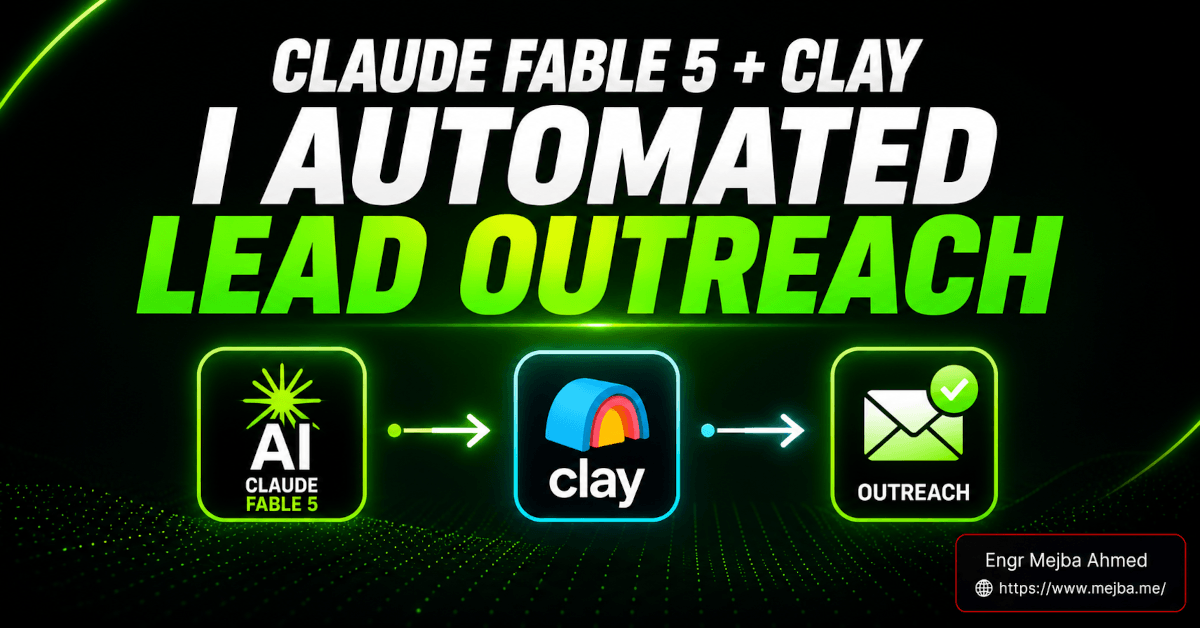
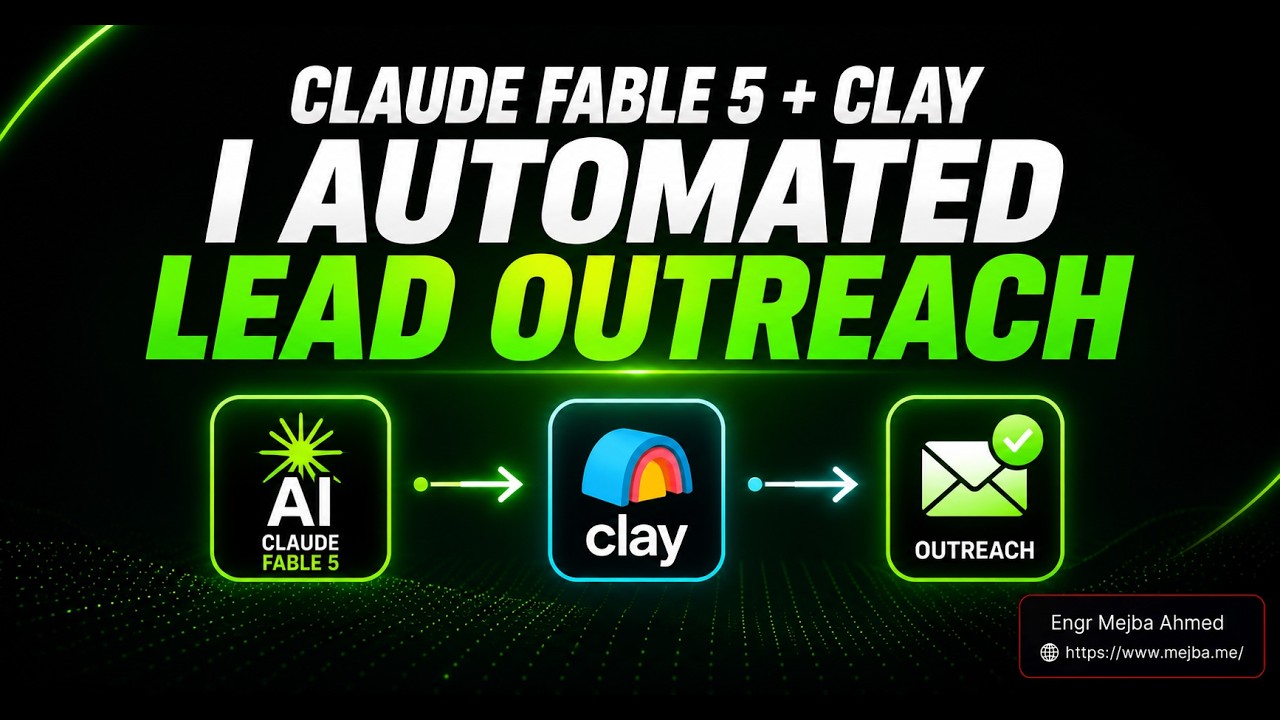
Lo que finalmente rompió ese hábito no fue un mejor prompt. Fue un conector. En cuanto conecté Fable 5 con la base de datos de contactos de Clay y mi Gmail a través de la app de escritorio de Claude, la generación de leads con Claude Fable 5 dejó de ser una tarea de investigación y se convirtió en un pipeline: pides un mercado, recibes contactos reales, enriquecidos, clasificados, con URLs de LinkedIn y número de empleados, y luego ves cómo el modelo redacta 29 emails de captación que realmente suenan como yo — líneas de asunto incluidas — esperando en mi carpeta de borradores con un pulgar arriba pendiente.
Esa es la brecha que nadie explica bien. Fable 5 por sí solo es un conversador brillante. Fable 5 con conectores es un SDR junior que nunca duerme, nunca inventa una empresa que no existe y escribe con tu voz al primer intento. Aquí está exactamente cómo construí el pipeline, los números reales de 2026 (las cuentas del plan gratuito no son lo que los tutoriales de YouTube te dijeron), la parte que falló y cómo decidir si merece la pena montarlo para tu propia captación.
Por qué Claude Fable 5 solo es una cara caja de búsqueda
Empecemos con la verdad incómoda, porque reenmarca todo.
Fable 5 se lanzó el 9 de junio de 2026 como la mitad pública del linaje más capaz de Anthropic — el mismo cerebro subyacente que Mythos 5, solo con la capa de seguridad de doble uso activada. Escribí un análisis completo de lo que Anthropic realmente lanzó con Fable 5 y Mythos 5 cuando salió. Es un modelo genuinamente fuerte. Pero la capacidad bruta y el trabajo útil son dos ejes diferentes, y la mayoría de la gente solo ejerce el primero.
El problema en una frase: un modelo de lenguaje puede razonar sobre tu mercado, pero no puede alcanzar tu mercado. Pídele a Fable 5 "las 10 mayores empresas de IA en Dallas-Fort Worth" y te dará una lista plausible de sus datos de entrenamiento — que están congelados, a veces equivocados, y nunca incluyen un email verificado o una URL de LinkedIn actualizada. Está razonando en una habitación sellada. Falta la ventana al mundo real.
Los conectores son esa ventana. En la arquitectura de Claude, un conector es un servidor MCP (Model Context Protocol) alojado que proporciona al modelo herramientas reales — buscar en esta base de datos, enviar este email, crear este evento de calendario. El Directorio de Conectores de Anthropic se lanzó en julio de 2025 y ya lista más de 200 integraciones revisadas, todas ejecutándose en la misma infraestructura MCP que Claude Code. El directorio es la diferencia entre un modelo que habla sobre generación de leads y uno que la ejecuta.
El modelo mental que quiero que lleves durante el resto de este artículo es simple: Fable 5 es el cerebro; los conectores son las manos. Todo lo bueno que sigue viene de darle manos al cerebro. Y la mano más importante para la captación es una base de datos de contactos limpia y actualizada — que es exactamente donde entra Clay.
Pero antes de conectar nada, necesitas entender qué es realmente Clay, porque el marketing lo hace sonar como magia y la factura se siente como un error.
Qué hace realmente el conector de Clay (y cuánto cuesta en 2026)
Clay es una plataforma de enriquecimiento de datos — piensa en ella como una hoja de cálculo que puede consultar más de 100 proveedores de datos, encontrar las piezas que faltan en un registro de contacto y unirlas de nuevo. Más de 50.000 equipos de go-to-market confían en ella, y en 2026 Clay incluye un servidor MCP que se conecta directamente a Claude. Esa conexión MCP es lo que importa: permite a Fable 5 buscar contactos, obtener historial de interacciones y leer perfiles detallados sin que tú abras nunca la interfaz de Clay.
Esto es lo que el conector de Clay permite a Fable 5 obtener en la práctica:
- Datos a nivel de contacto — nombres completos, cargos, URLs de LinkedIn verificadas, ubicaciones y (en planes de pago) emails laborales y números de teléfono
- Firmografía a nivel de empresa — sede central, tamaño de plantilla, si es pública o privada, resumen breve de la empresa, stack tecnológico y noticias o rondas de financiación recientes
- Enriquecimiento en cascada — Clay consulta proveedor tras proveedor hasta encontrar el dato, por eso encuentra emails para más del 80 % de los prospects B2B cuando está bien configurado
- Clasificación y filtrado — puedes pedirle que puntúe y ordene empresas por criterios como "mayor gasto en marketing" o "más probable que necesite un CTO fraccional"
Esta última capacidad es la que convierte una lista en una lista priorizada, y es donde el razonamiento de Fable 5 y los datos de Clay se potencian mutuamente. El modelo decide quién importa; Clay confirma que son reales.
Ahora la parte que los tutoriales pasan por alto. Los precios.
Muchos vídeos todavía dicen que el plan gratuito de Clay viene con "2.000 créditos gratis". Ese número es un bono por enlace de referido, no el nivel gratuito estándar. A fecha de 2026, el plan gratuito real de Clay es de 100 créditos al mes (aproximadamente 1.200 al año), con acceso a los más de 100 proveedores pero sin enriquecimiento de números de teléfono. Para probar, 100 créditos alcanzan para enriquecer quizá 10 leads y decidir si te gusta el flujo de trabajo. No es suficiente para una campaña.
Las cuentas de pago también cambiaron. Clay renovó todo su modelo de precios en marzo de 2026, reemplazando los tres niveles de autoservicio por dos, reduciendo los costes del marketplace de datos entre un 50 y un 90 %, y — crucialmente — dividiendo los créditos en dos cubos:
- Data Credits pagan los datos reales (el email, el teléfono, el detalle de la empresa) obtenidos de uno de los más de 150 socios de Clay.
- Actions pagan el trabajo de plataforma (enrutar la solicitud, llamar al proveedor, ejecutar el flujo, devolver el resultado).
Los planes de autoservicio actuales están en Launch (185 $/mes — 2.500 Data Credits, 15.000 Actions) y Growth (495 $/mes — 6.000 Data Credits, 40.000 Actions). Un flujo de enriquecimiento realista consume aproximadamente 8–12 créditos por lead, con 10 como referencia razonable. Así que Launch te da alrededor de 250 leads completamente enriquecidos al mes antes de que tengas que comprar más créditos.
Me detengo en los números porque esto es exactamente el tipo de cosa que es fácil de ignorar en una demo y doloroso de descubrir en un ciclo de facturación. Si tu negocio no vive o muere por la adquisición de clientes, el coste de Clay superará su valor rápidamente. Si la captación es tu motor de crecimiento, 185 $/mes para saltarte la construcción manual de listas no es nada. Sabe en qué bando estás antes de autorizar el conector.
Con la realidad de costes sobre la mesa, déjame mostrarte el pipeline que realmente construí — y la consulta en vivo que me convenció.
La demo en vivo: De "10 empresas de IA en DFW" a una lista de contactos clasificada
Quería una prueba limpia, así que elegí un mercado que pudiera verificar a mano: empresas de IA y tecnología en el área metropolitana de Dallas-Fort Worth. Este es el prompt que le di a Fable 5 dentro de la app de escritorio de Claude, con el conector de Clay autorizado:
"Encuentra las 10 mayores empresas de IA y tecnología con sede en el área de Dallas-Fort Worth. Para cada una, obtén el sitio web, número de empleados, si es pública o privada, y un resumen de una línea. Luego usa Clay para enriquecer 2–3 contactos senior por empresa — nombre, cargo y URL de LinkedIn. Clasifica la lista final por la probabilidad de que cada empresa necesite ayuda con marketing outbound."
Tres cosas ocurrieron que no obtienes de un modelo de chat simple.
Primero, razonó y luego verificó. Fable 5 propuso la lista corta desde su propio conocimiento, y luego — porque el conector de Clay estaba activo — salió y confirmó cada empresa contra datos actuales en lugar de confiar en su conjunto de entrenamiento congelado. Cuando una empresa de su primera pasada resultó haber trasladado su sede, el paso de enriquecimiento lo detectó. La suposición del modelo y los datos en vivo discrepaban, y los datos en vivo ganaron. Esa es toda la razón por la que los conectores importan.
Segundo, la salida estaba estructurada para actuar, no para leer. Lo que volvió no era prosa. Era una tabla: nombre de empresa, sitio web, número de empleados, indicador público/privado, y debajo de cada uno, dos o tres contactos nombrados con sus cargos exactos y perfiles de LinkedIn clicables. El tipo de resultado que un investigador junior tardaría una tarde en ensamblar.
Tercero — y este es el punto clave — escaló sin que yo cambiara nada. "10 empresas, 2–3 contactos cada una" era la prueba. Cambiar "10" por "100" y "DFW" por "el Sun Belt de EE. UU." es el mismo prompt con números más grandes. Clay hace el trabajo pesado; Fable 5 orquesta. Al pipeline le da igual si está construyendo 25 leads o 250 — solo importa tu saldo de créditos.
Aquí hay una reflexión que vale la pena: el cuello de botella en la captación en frío nunca fue la redacción. Era la lista. Encontrar personas reales, en empresas reales, con datos de contacto reales, clasificadas por encaje real — ese es el 80 % del trabajo sin glamour que mata el impulso. Fable 5 más Clay comprime ese 80 % en un solo prompt.
Lo que significa que el apalancamiento se traslada por completo al otro 20 % — el mensaje. Y un email frío genérico, obviamente sacado de una plantilla, cae igual de muerto tanto si lo escribiste tú como si lo hizo una IA. Así que la pregunta fue: ¿puede Fable 5 escribir captación que no suene como un robot llevando mi placa de identificación?
Ahí es donde el skill de voz de email cambió el juego.
El skill de voz de email: Enseñándole a Fable 5 a escribir como tú
Esto es lo que nadie te cuenta sobre la captación escrita por IA: la IA tiene una voz por defecto, y esa voz es "extraño corporativo competente". Rayas em en los lugares equivocados. Un saludo que nunca usarías. Una despedida que suena como un comunicado de prensa. Los destinatarios tienen un filtro finamente calibrado para eso ahora, y en el momento en que un mensaje activa ese filtro, estás eliminado.
La solución es un skill — y si has usado el sistema de skills de Claude, esto tendrá sentido rápido. Un skill en Claude es simplemente un archivo markdown (un SKILL.md) con un poco de YAML frontmatter que le dice a Claude cuándo usarlo, seguido de instrucciones en lenguaje natural que le dicen cómo. Es contenido de referencia que se ejecuta en línea junto a tu conversación, para que el modelo lo aplique a lo que estés haciendo sin que tengas que pegar reglas cada vez.
Un "skill de voz de email" hace un trabajo específico: lee una muestra de tus emails realmente enviados a través del conector de Gmail, extrae los patrones que hacen que tu escritura sea tuya, y luego escribe nueva captación dentro de esas restricciones. Las buenas versiones codifican reglas concretas, no vibraciones:
- Saludo y despedida — exactamente cómo abres ("Hey [nombre]," no "Estimado/a") y cómo cierras ("— Mejba," no "Atentamente")
- Ritmo de frase — tu longitud típica, si usas fragmentos, con qué frecuencia sueltas una frase corta
- Estilo de línea de asunto — corto, en minúsculas, específico; el tipo que se abre en el móvil
- Tics de puntuación — tus verdaderos hábitos con las comas, si alguna vez usas un signo de exclamación (yo no), cómo manejas los guiones
- La lista prohibida — palabras y frases que nunca dirías, para que el modelo no recurra a ellas
Seré honesto sobre la procedencia, porque importa para la confianza: el skill en sí es el tipo de artefacto que construyes una vez y reutilizas para siempre. El presentador del walkthrough que estaba siguiendo ofreció una versión descargable de este skill más una guía de configuración como un archivo markdown que colocas en tu workspace. No tienes que usar el suyo — escribir tu propio SKILL.md para la voz de email lleva quizá veinte minutos, y la guía oficial para crear skills personalizados de Claude explica la estructura. De cualquier forma, el principio es idéntico: el skill es tu voz, codificada una vez.
Con el skill cargado, apunté Fable 5 a la lista enriquecida de DFW y le pedí que redactara emails de primer contacto personalizados. Produjo 29 borradores, cada uno con una línea de asunto hiper-específica extraída del contexto del contacto — uno literalmente decía "DFW creator", vinculado al mercado y rol de ese prospect. Cada borrador aterrizó en mi carpeta de borradores de Gmail, no en mi bandeja de salida.
Ese último detalle no es poca cosa, así que lo haré el centro de la sección honesta.
Si la automatización de captación es algo que preferirías confiar a un equipo antes que montarlo tú mismo, este es exactamente el tipo de sistema que Ramlit construye y mantiene para clientes — la configuración de conectores, el skill, la gestión de créditos, todo el paquete. Para todos los demás, sigan leyendo; el camino DIY es totalmente viable.
La parte que falló — y por qué "borradores, no envíos" es todo el juego
La primera vez que dejé correr una versión de esto con envío automático conectado a través de Zapier, me dejó en ridículo.
No fue catastrófico. Pero un borrador se dirigió a un prospect por el nombre de su empresa en vez de su nombre de pila, porque Clay había devuelto un registro donde el campo de contacto era escaso y el modelo llenó el hueco con el token más limpio que tenía. En un borrador, lo habría detectado en dos segundos. Enviado automáticamente, salió leyendo "Hi Brightwave," a un humano llamado Daniel. Esa es una pequeña humillación con un coste real — ese prospect ahora está archivado permanentemente bajo "spam".
La lección es esta, y es lo más importante de todo este artículo: el valor de este pipeline está en la carpeta de borradores, no en el botón de enviar.
La propuesta de la automatización completa es seductora — "29 emails enviados mientras duermes." Pero la captación en frío es una transacción de confianza, y la confianza muere con la primera personalización chapucera. La arquitectura correcta mantiene a un humano en la puerta de aprobación:
- Fable 5 + Clay construyen y enriquecen la lista (totalmente automatizado, bajo riesgo — datos malos solo significan una lista más corta).
- El skill de voz de email redacta cada mensaje (automatizado — el modelo es genuinamente bueno aquí).
- Tú revisas los borradores (manual — 30 segundos cada uno, detectando el uno de cada veinte registros que está mal).
- El envío ocurre con tu aprobación, por lotes.
Saltarse el paso 3 para sentirte como un operador de ciencia ficción es cómo quemas tu reputación de remitente y tu marca en la misma semana. Ahora trato cualquier interruptor de "auto-envío" como trato rm -rf — técnicamente disponible, casi nunca la decisión correcta.
Hay una segunda limitación que vale la pena nombrar. Este pipeline es tan honesto como los datos de Clay. El enriquecimiento no es omnisciente; la tasa de hallazgo de emails de más del 80 % significa que aproximadamente uno de cada cinco prospects vuelve incompleto, y el modelo a veces tapará esa brecha si se lo permites. Instrúyelo siempre para que omita contactos con campos críticos faltantes en lugar de adivinar. Una lista de 24 leads verificados gana a 29 leads donde cinco están equivocados.
Si estableces estas dos barandillas bien — aprobación humana, omitir en vez de adivinar — el sistema es genuinamente excelente. Si te las saltas, has construido un camino más rápido para dañar tu reputación.
Entonces, ¿cómo lo montas realmente? Aquí está la configuración de principio a fin.
Cómo configurar el pipeline de generación de leads con Fable 5 (paso a paso)
Esto funciona en la app de escritorio de Claude, no en la versión web — los conectores y Zapier MCP requieren el cliente de escritorio. Todo vive dentro del entorno workspace de Claude (la superficie Co-work), donde organizas proyectos en carpetas, eliges tu modelo y ejecutas skills y conectores en una interfaz. Cubrí la configuración general del workspace en mi guía de automatización de flujos de trabajo con Claude Co-work si quieres los fundamentos primero.
Paso 1 — Instalar la app de escritorio y crear una carpeta de workspace. Descarga Claude para escritorio, luego en el workspace crea una carpeta dedicada para captación — llámala lead-gen. Limitar el proyecto a una carpeta significa que los conectores y el skill que añadas aplican aquí, no a cada conversación que tengas. Lo que sale mal: la gente ejecuta esto en un chat general y se pregunta por qué su skill de voz de email sigue "olvidando". Limítalo a la carpeta.
Paso 2 — Elegir tu modelo deliberadamente. Fable 5 es el razonador más agudo para clasificación y redacción, pero también el más caro. Para la orquestación de enriquecimiento masivo — que son principalmente llamadas a herramientas, no razonamiento profundo — Opus 4.8 o Sonnet 4.6 hacen el trabajo por una fracción del coste en tokens. Mi configuración: Sonnet 4.6 para el trabajo pesado de construcción de listas, Fable 5 solo para la clasificación final y la redacción de emails donde la calidad de voz realmente importa. Consejo pro: esta única división redujo mi coste de modelo por campaña a más de la mitad sin caída visible de calidad en las partes que importan.
Paso 3 — Añadir y autorizar el conector de Clay. En la app de escritorio, abre Ajustes → Conectores, encuentra Clay y autorízalo contra tu workspace de Clay. Nota el detalle de OAuth: los conectores alojados por Anthropic como Gmail y Google Calendar no pueden autorizarse desde dentro del /mcp de Claude Code — los conectas en Ajustes → Conectores en claude.ai, después de lo cual aparecen automáticamente. El MCP de Clay sigue el mismo patrón alojado.
Paso 4 — Añadir el conector de Gmail (o Outlook). Mismo flujo de Ajustes → Conectores. Esto es lo que permite al skill de voz de email leer tu correo enviado para aprender tu estilo y escribir borradores de vuelta en tu cuenta. Concede acceso a borradores; no necesitas conceder acceso de envío si sigues la regla de borradores-no-envíos (y deberías).
Paso 5 — (Opcional) Conectar tu CRM vía Zapier MCP. Si tus contactos y deals viven en HubSpot, Salesforce, Pipedrive o cualquier otro, el servidor Zapier MCP conecta Claude con más de 8.000 apps a través de un solo conector. Añádelo una vez y Fable 5 puede enviar leads enriquecidos directamente a tu CRM sin que toques un CSV. Sáltate esto si empiezas simple — puedes añadirlo después.
Paso 6 — Instalar el skill de voz de email. Coloca tu SKILL.md en la carpeta del workspace (o descarga uno prefabricado y personaliza las reglas a tu voz real). Ejecútalo una vez y pide a Claude que resuma lo que aprendió de tu correo enviado — verifica que el saludo, la despedida y la lista de palabras prohibidas coincidan con cómo escribes realmente antes de confiarle prospects reales.
Paso 7 — Construir y enriquecer tu lista. Dale a Fable 5 un prompt de mercado como el de DFW de arriba. Deja que proponga, luego enriquezca a través de Clay, luego clasifique. Revisa la tabla. Dile que descarte cualquier contacto sin email o URL de LinkedIn.
Paso 8 — Redactar, revisar, enviar. Pide a Fable 5 que escriba emails de primer contacto usando el skill de voz. Los borradores aterrizan en Gmail. Abre tu carpeta de borradores, lee cada uno, corrige el raro registro erróneo y envía en lotes que puedas respaldar.
Ese es el bucle completo. Ocho pasos, quizá una hora la primera vez, y luego minutos por campaña después. Si has llegado hasta aquí, ya entiendes más sobre captación impulsada por conectores que la mayoría de la gente que pagó por un curso sobre ello.
¿Qué te da realmente cuando está funcionando? Déjame establecer expectativas realistas, porque las demos lo exageran.
Qué esperar realistamente (sin números inventados)
No voy a inventarte una tasa de conversión. Cualquiera que te diga "este pipeline obtiene un 40 % de tasa de respuesta" está vendiendo algo — las tasas de respuesta dependen de tu oferta, tu mercado y la calidad de tu lista mucho más que del tooling.
Lo que sí puedo decirte honestamente es adónde va el tiempo, porque eso es mecánico y observable.
El viejo bucle manual — investigar empresas, encontrar los contactos adecuados, rastrear emails y perfiles de LinkedIn, luego escribir cada mensaje desde cero — consumía fácilmente medio día para una lista de 25 a 30 prospects. Con el pipeline, la construcción de la lista y el enriquecimiento que antes se comían la mañana ocurren en el tiempo que tardas en leer la salida del modelo, y los 29 borradores llegan en minutos. El trabajo que queda es el trabajo que debería quedar: revisar, evaluar el encaje y decidir qué enviar.
La forma honesta de verlo es esta: el pipeline no hace que la captación funcione mejor, hace que el aburrido 80 % desaparezca para que puedas dedicar tu criterio al 20 % que decide si la captación funciona en absoluto. Ese es el verdadero ROI — no una tasa de respuesta mágica, sino la reasignación de tu atención desde tareas de limpieza de datos al mensaje y la oferta.
Si quieres el panorama más amplio de cuáles de estas automatizaciones las empresas realmente pagan con dinero real, lo desglosé en las automatizaciones de IA por las que las empresas realmente pagan — la velocidad de captación y el enriquecimiento de listas están cerca de la cima de esa lista por una razón. Y si piensas en esto como un servicio en lugar de una herramienta personal, mi guía sobre construir un equipo de marketing con IA en Claude Code muestra cómo los mismos primitivos de conectores se componen en algo que puedes vender.
Una última expectativa: esto no es "configurar y olvidar". Los datos cambian, tu voz evoluciona, los precios y proveedores de Clay cambian. Trata el pipeline como un sistema vivo que afinas mensualmente, no como una máquina que construyes una vez.
Preguntas frecuentes
¿Qué es Claude Fable 5 y en qué se diferencia de Mythos 5?
Claude Fable 5 es la versión públicamente disponible del linaje de modelos más capaz de Anthropic, lanzado el 9 de junio de 2026. Comparte el mismo modelo subyacente que Claude Mythos 5 pero mantiene medidas de seguridad adicionales activas para capacidades de doble uso. Mythos 5 está restringido a organizaciones de seguridad e infraestructura verificadas. Para el análisis completo, consulta mi análisis del lanzamiento de Fable 5 y Mythos 5 arriba.
¿Necesito el conector de Clay para usar Claude Fable 5 en generación de leads?
Sí, para generación de leads real. Sin un conector, Claude Fable 5 solo puede razonar a partir de datos de entrenamiento congelados y no puede verificar ni enriquecer contactos en vivo. El conector de Clay le da acceso a más de 100 proveedores de datos para nombres, cargos, emails y URLs de LinkedIn actualizados.
¿Cuánto cuesta el conector de Clay en 2026?
El plan gratuito de Clay incluye 100 créditos al mes sin enriquecimiento telefónico. Tras la revisión de precios de marzo de 2026, los planes de autoservicio de pago son Launch (185 $/mes, 2.500 Data Credits) y Growth (495 $/mes, 6.000 Data Credits), con la mayoría de los flujos de trabajo costando aproximadamente 10 créditos por lead enriquecido.
¿Es seguro dejar que Claude envíe emails de captación automáticamente?
No — mantén a un humano en la puerta de aprobación. El patrón fiable es que Claude Fable 5 redacte emails en tu carpeta de borradores de Gmail, y luego revisar cada uno antes de enviarlo. El envío automático arriesga mala personalización por registros de datos incompletos, lo que daña la reputación del remitente. Consulta la sección sobre la parte que falló arriba.
¿Qué es el skill de voz de email y dónde lo consigo?
El skill de voz de email es un archivo SKILL.md de Claude que lee tus emails enviados para aprender tu saludo, despedida, ritmo de frase y estilo de línea de asunto, y luego redacta captación con tu voz. Puedes construir el tuyo en unos veinte minutos o descargar una versión prefabricada y personalizar las reglas para que coincidan con cómo escribes realmente.
Trabajemos juntos
¿Quieres construir sistemas de IA, automatizar flujos de trabajo o escalar tu infraestructura tecnológica? Me encantaría ayudar.
- Fiverr (desarrollos e integraciones a medida): fiverr.com/s/EgxYmWD
- Portfolio: mejba.me
- Ramlit Limited (soluciones empresariales): ramlit.com
- ColorPark (diseño y branding): colorpark.io
- xCyberSecurity (servicios de seguridad): xcybersecurity.io