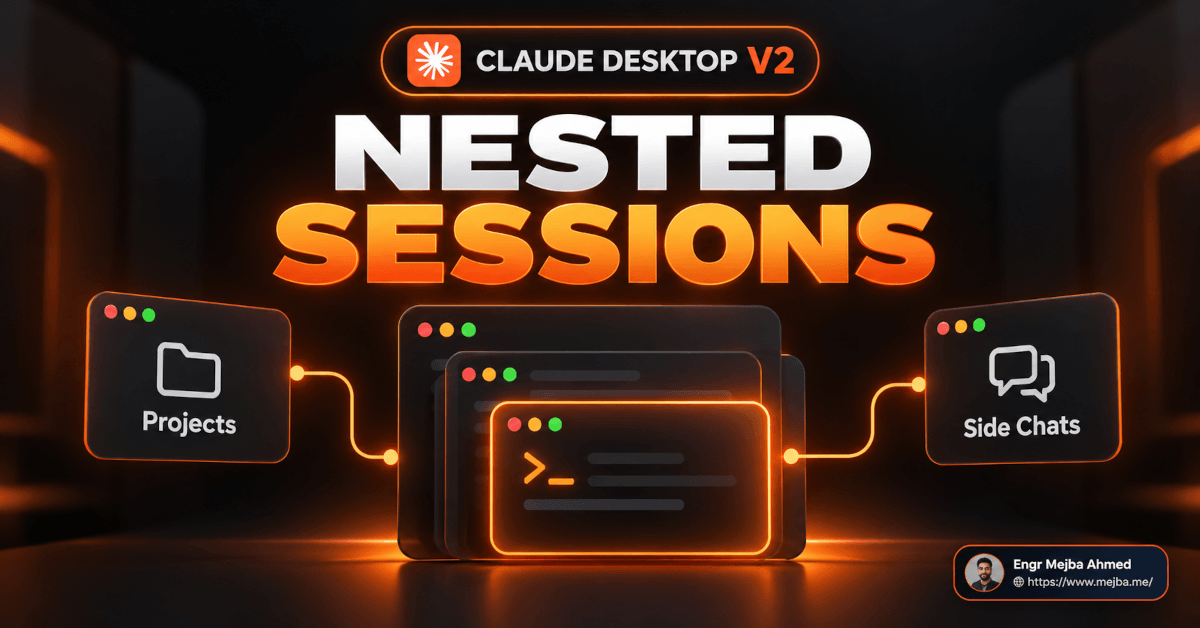
Anthropic did not ship a new model called Claude 2.0. What went out on October 14, 2026 was a large update to the Claude Code Desktop app (the Code tab inside the Claude desktop app), and some creators started calling it "Claude 2.0." The headline feature is Claude Code Desktop nested sessions: ask Claude to run work in parallel and each task becomes a child session under your main one, then reports its result back. Next to it you get a session rail showing context usage, saved environments, side chats with /btw, cloud Projects in public beta on Pro and Max, and Mods for building your own add-ons.
That's the short answer. The rest of this post covers the parts the hype videos skip. Which of the "11 features" are real Anthropic features under different names. Which rows of the viral plan table are wrong. And how I'd decide, task by task, between a side chat, a nested session, a cloud Project thread, and a plain subagent.
One thing up front, because this blog has a rule about it now: this is an analysis post. I've built it from Anthropic's own documentation, the help center, the GitHub issue tracker, and the release coverage. I'm not going to invent a story about a test run I didn't do. Where I describe how I'd use something in my own pipeline, I'll say it's a plan.
Why People Are Calling It "Claude 2.0" (And Why the Name Misleads)
The name comes from a video walkthrough of the redesign. On screen it shows a quote, apparently from someone at Anthropic: "Claude Code Desktop is now so much aware of its own capabilities and how it can work with you, like spinning off subsessions. I think of this almost like a v2, so many small details went into make it great."
I couldn't trace that quote to an original post, so I'm treating it as the video's attribution, not something I can confirm. The sentiment is fair, though. The Desktop app really does feel like a second version of itself.
The label is the problem. Claude 2 is the name of a model Anthropic released in 2023. Search "Claude 2.0" today and you'll get a mix of 2023 model pages and 2026 desktop-app videos, which is exactly the confusion that makes people think a new model dropped. So here's the precise framing I'll use for the rest of this post: Claude Code Desktop v2, the October 2026 update to the app, running whatever models you already pick in the model menu.
It's also not the first redesign this year. The April 14, 2026 redesign brought the multi-session sidebar and side-by-side sessions. I covered that one in my first take on the Claude Code desktop redesign and Routines, and the split-view and workspace angle in the Claude desktop app's agentic OS update. This post doesn't repeat those. It's about what changed on top of them: nesting, coordination, cost visibility, and which plans actually get what.
The video's slide lists 11 features. Mapping them to what Anthropic actually documents is the first useful thing I can do for you.
| Video's name | What it is in Anthropic's docs | Status |
|---|---|---|
| 01 Session rail | Session details panel ("Hide/Show session rail") | Documented |
| 02 Sections | Sidebar Group and sort | Documented, partly changed |
| 03 Nested sessions | Started sessions listed under the parent session | Documented |
| 04 Master session | Not an Anthropic term (closest: parent session, or a Project's coordinating conversation) | Rename |
| 05 Projects | Claude Code Projects (cloud threads) | Public beta, Pro and Max |
| 06 Side chats | Side chat, /btw or Cmd+; |
Documented |
| 07 Split view | Option-click a session, or Open in > Split view | Documented |
| 08 Docs, Slides and more | Artifact templates: Docs, Slides, Design, Dashboards, Motion | Plan-dependent |
| 09 Slash commands | / menu in the prompt box |
Documented |
| 10 Mods | Mods (plugins that change Claude Code's interface and behavior) | Documented |
| 11 Shortcuts | Keyboard shortcut table, Cmd+/ | Documented, some video claims not found |
Ten out of eleven hold up. The "master session" is where most of the confusion lives, so that's where we start.
What Claude Code Desktop Nested Sessions Actually Do
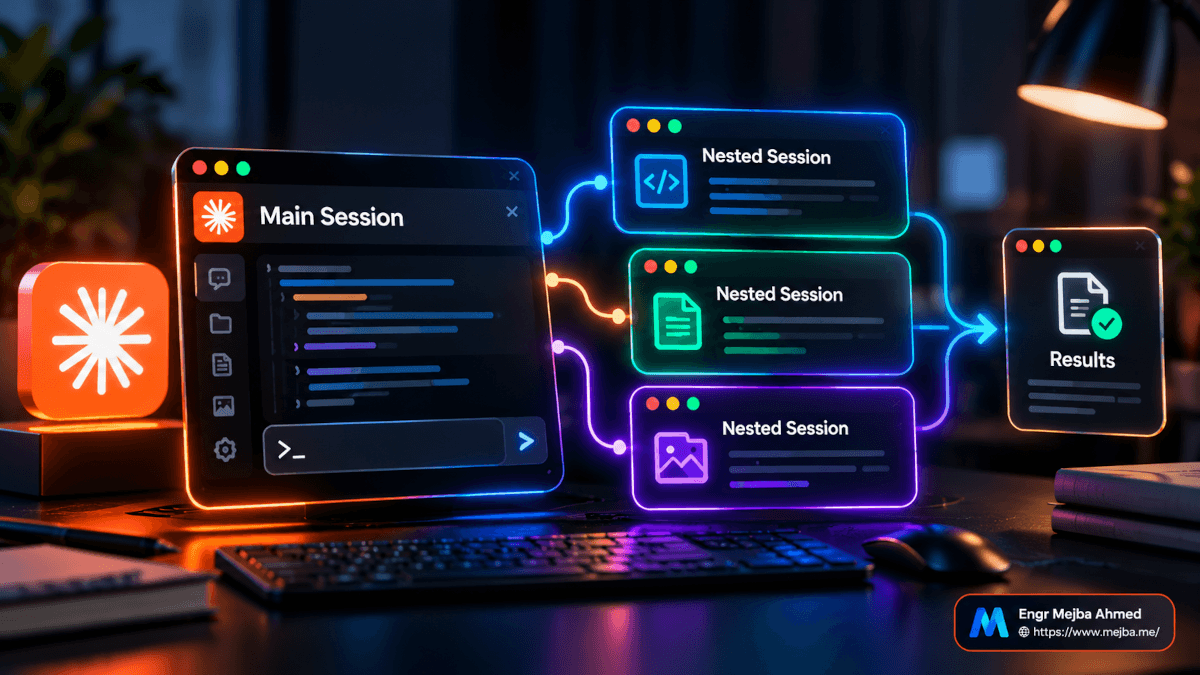
Here's the mechanism, stripped of marketing. In a Claude Code Desktop session, when you ask Claude to run several tasks in parallel, each task starts as its own session. That new session is a full session: its own chat history, its own context window, its own permission mode. The sidebar lists it under the session that started it. When it finishes, it reports its result back to the parent.
That last part is why the main thread stays readable. Your parent session doesn't fill up with every file read and test log from five parallel jobs. It gets five results.
You can start nested sessions three ways, based on Anthropic's desktop docs:
- Ask for parallel work. "Run the migration, the test fixes, and the docs update in parallel" spins each one into its own session.
- Click a suggested task card. When Claude notices something outside the current task, it suggests it as a card. Start launches it in another session (by default in the same environment), and the sidebar lists that session under the current one. Start all launches several at once.
- Use Options before Start to change the environment, model, worktree, or permissions for that child session.
Because a nested session is a real session, you can click into it, read everything it did, and type to it directly. That's the "independently accessible and editable" part from the video, and it checks out.
Nested sessions vs subagents: the bidirectional part is real
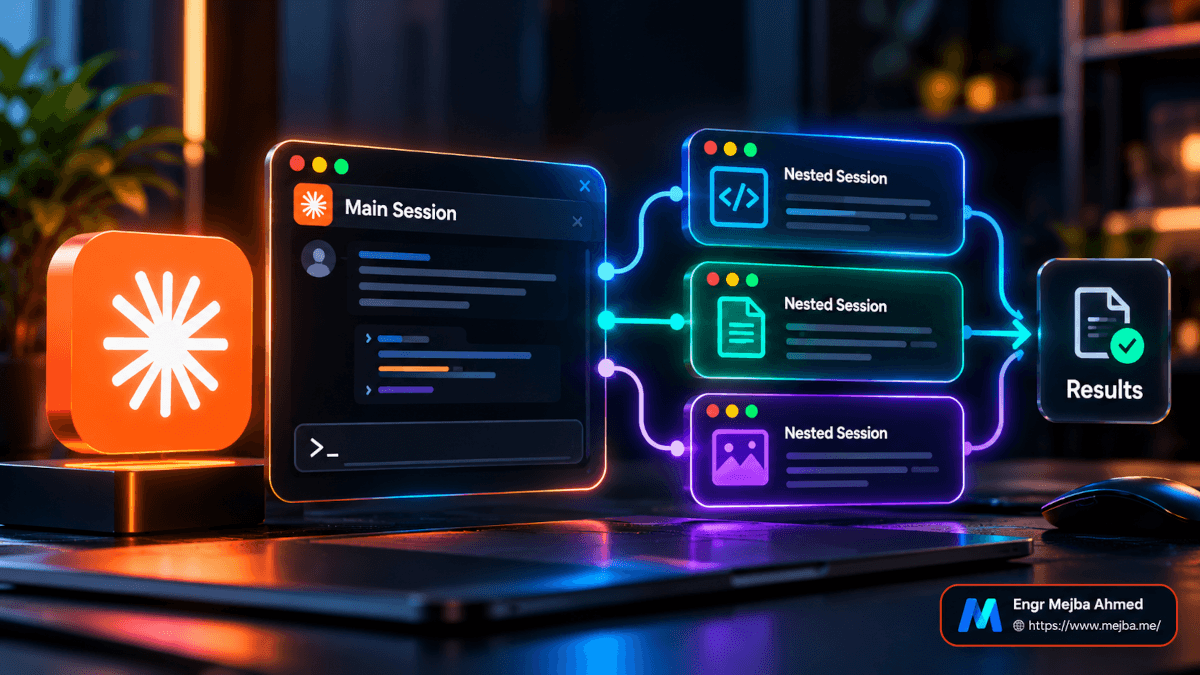
The video frames nested sessions as bidirectional and subagents as one-way. The docs support that, with one detail worth getting right.
A subagent is a delegated worker inside one session. It does a side task in its own context and returns a summary. You don't chat with it mid-task, and it disappears into the transcript once it's done. (I wrote about the variant that inherits your full context in forked subagents in Claude Code.)
A nested session is a sibling-grade session that happens to have a parent. The two-way channel comes from a separate feature called work across sessions: Claude can list your other Code tab sessions, read what each one has been doing, and send messages between them. You can say "tell the payments session the schema changed," and the receiving session sees a card labeled with the sender's title. If it's busy, the message waits until its current work finishes. It can reply, and the reply comes back the same way.
Two limits matter here:
- Claude only sees sessions the desktop app runs itself: local, SSH, and WSL sessions in the Code tab. Cloud sessions, CLI sessions, and VS Code sessions are invisible to this surface. By default it sees the 20 most recently active sessions.
- The underlying cross-session messaging needs Claude Code v2.1.224 or later on macOS and Linux (v2.1.234 on native Windows).
So what's a "master session"?
Anthropic doesn't use that term. The video uses it for a session that runs and oversees several others: your personal orchestrator. In the docs, that idea shows up in two different places:
- Locally, it's simply the parent session of your nested sessions, plus work across sessions so it can check on them and message them.
- In the cloud, it's a Project's project conversation: one long-running session where Claude acts as coordinator, starts threads, and "sees what threads report back, not every step they take."
Those two behave very differently on cost, persistence, and what they can reach. Mixing them up is how you end up running the wrong one.
That difference is the most practical part of this whole update. But first, there's a panel that tells you what all of this is costing.
The Session Rail Is a Token Meter, If You Read It Right
The session rail is Anthropic's informal name for the session details panel: a set of cards beside the chat showing where the session runs, what it changed, what it's running, and its context usage. You toggle it with Hide session rail / Show session rail in the session's title bar, and it only appears when the window is wide enough.
The cards the docs actually name:
- Changes: line counts like
+12 -1. Click them to open the diff. - Context: the header shows usage as a percentage of the context window.
- Environment: where the session runs, and the Remote Control switch.
The video calls part of this a "context card" listing memory and connected apps. I couldn't confirm a connectors card in the docs, so I won't claim one. What I can tell you is how to get the breakdown the video is pointing at: type /context and Claude Code prints context usage per category.
Here's why this matters more with Claude Code Desktop nested sessions than it did before. Every session, including every child session, loads its own startup context: your CLAUDE.md files, auto memory, skill descriptions, MCP tool definitions from connected servers. Spin up five nested sessions and you pay that startup cost five times. Anthropic's own docs say it plainly: running several sessions or subagents at once multiplies token usage.
The habit I'd build is simple. Before you fan work out into nested sessions, glance at the Context percentage on the parent. If a fresh session is already starting at a high percentage because of what loads automatically, trim that first (fewer always-on connectors, a leaner CLAUDE.md) and then parallelize. I went deep on the trimming side in my Claude Code token optimization guide, and the same logic applies here, multiplied.
This is the one card on the rail I'd keep open all day. The next features are about keeping your main thread clean without spending a whole new session.
Side Chats, Split View, and the Sidebar Changes People Are Complaining About
Side chats with /btw
A side chat is a question that uses your session's context without adding anything back to the main conversation. Press Cmd+; on macOS (Ctrl+; on Windows) or type /btw. It can read everything in the main thread up to that point, and when you close it, the main session carries on as if you never asked.
This is the cheapest way to multitask in the app. You're not spinning a new session with its own startup load. You're asking a quick "wait, why did it pick that library?" without derailing a running task.
The catch nobody mentions: side chats aren't saved to disk. Close the app and they're gone. They also only work in local, SSH, and WSL sessions, not cloud. If an answer matters, copy it somewhere or ask it in the main thread.
Split view
Hold Option (Alt on Windows) and click a session in the sidebar, or right-click and choose Open in > Split view. The pane you clicked last has focus and the other dims. Cmd+Ctrl+W (Ctrl+Alt+W on Windows) takes the focused session out of split view. Cmd-click instead opens a session in its own window.
With Claude Code Desktop nested sessions, split view gets a real job: parent on the left, the child you're steering on the right.
"Sections" and the nesting backlash
The video's "Sections" maps to the sidebar's Group and sort control: hover over a heading in the session list and click the icon. Sessions can be grouped by folder.
This part of the update has friction, and it's worth knowing before you update mid-sprint. GitHub issue #102129 on the anthropics/claude-code repo reports that after Desktop 2.37337.1.0 installed on October 14, 2026, the sidebar started nesting sessions under the session that started them, with no release note. The author points out that sessions whose parent got archived now float at the top level, so related work splits into two places. They ask for a setting to keep the flat, most-recent-first list. The same issue links #102088, which says a "Group by" option was removed in that version, and #100216, which asks to show forks as top-level instead of nested.
My read: nesting is the right default for orchestration, and the wrong default for people who used the sidebar as a flat inbox. If you're the second kind, watch those issues before you rebuild your habits around the new layout.
Now for the decision that actually costs money: where should the work run?
Cloud Projects vs Local Nested Sessions: Where Should the Work Live?
Claude Code Projects are the cloud half of this update. A Project is one ongoing conversation where Claude coordinates a stream of related work. You tell it what needs doing, and it starts a thread for each task. Each thread is usually a cloud session, running on Anthropic-managed infrastructure rather than your machine. That's what lets work continue while your laptop sleeps.
The structure, per Anthropic's Projects documentation:
- Project conversation: the coordinator. It routes each message, answers quick questions in place, and starts threads for real work.
- Threads: workers with their own context windows. A cloud thread works on its own branch and opens a pull request when the work calls for one.
- Overview pane: threads grouped by state, plus Library (files you added and files threads produced), Pull requests, and Scheduled tasks.
- Project memory and instructions: memory is a set of files with a
MEMORY.mdindex every cloud thread reads at start. Instructions go to every new thread, up to 16,000 characters.
The detail that changes everything for skill-heavy setups
This line in the docs is the one I'd tattoo on my monitor: every cloud thread starts with the CLAUDE.md in each of the project's repositories, but not the repositories' skills, .claude/settings.json, or .mcp.json. And cloud threads "don't pick up anything from the Claude Code setup on your own machine."
Here's how that plays out with my own setup. One of my repos is an agent-driven content pipeline for four brands: a custom agent definition under .claude/agents/, per-brand settings files, and output folders per brand. Most of what makes it work lives in .claude/ and in my local skills and connectors. A cloud Project thread pointed at that repo would get the root CLAUDE.md and the files, and miss the agent and the skills unless I deliberately rebuilt them for the Project (the docs have a section on getting skills, plugins, connectors, and tools into threads).
So for this kind of work, a local session wins. It already has deep access to my local files, skills, and tools. That's not a criticism of Projects. It's a fit question.
What Projects cost you
The Projects docs are unusually candid about usage, and none of the "Claude 2.0" videos I watched covered it:
- A Project uses your plan limits faster than a single session. On Pro especially, expect to hit your limit sooner on days you run one.
- A new Project runs every thread on Opus at high effort by default. Change Thread model and Thread effort in Project settings > General before you send a batch. (If you're unsure what effort buys you, see my breakdown of Claude Code effort levels.)
- There's an enforced cap of 500 new threads per day across your projects.
- A thread watching a pull request wakes up and uses your plan again when CI fails or a review comment lands.
- Sending a follow-up to a thread that's been idle longer than the cache lifetime (an hour on Pro and Max) makes it re-read that thread's whole conversation first. For new work, a fresh thread can be cheaper than reviving a big old one.
- A thread that hits your limit waits and resumes on its own when the limit resets, so a Project you left running will start eating your next usage window without asking.
Two more requirements: your code has to be on github.com (not GitHub Enterprise Server, GitLab, or Bitbucket) with the Claude GitHub App installed, and you need a Project-eligible plan, which brings us to the decision table.
Which Should You Use: Side Chat, Nested Session, Project, or Subagent?
Short answer: use a side chat for a quick question, a subagent for a noisy side task you won't revisit, a nested session for parallel local work you want to steer, and a cloud Project for a stream of work that should run for days while your machine is off.
| You want to... | Use | Why |
|---|---|---|
| Ask a quick question without touching the main thread | Side chat (/btw, Cmd+;) |
Reads main context, adds nothing back, no new session. Not saved after you quit |
| Offload a noisy one-off (search, log digging) | Subagent | Own context, returns a summary, keeps your transcript clean |
| Run a few parallel local tasks you may want to steer | Nested session | Full sessions with local files, skills, and tools; report back to the parent |
| Have sessions coordinate with each other | Nested sessions + work across sessions | Messages and replies between local Code tab sessions |
| Run one long task that survives a closed laptop | Cloud session | Keeps going on Anthropic infrastructure; monitor from claude.ai/code or mobile |
| Feed a goal that keeps producing tasks for days or weeks | Project | Coordinator plus threads, shared memory and instructions, Overview pane |
| Dispatch many background sessions and check status | Agent view (claude agents) |
One screen for state and "needs you" |
Three rules I'd apply on top of the table:
- If the task needs something only your machine has, such as a local database, a VPN-only API, or your custom skills, start local. Projects can run a thread on your computer through Remote Control, but that's the exception path, not the default.
- If two parallel tasks touch the same files, isolate them. Turn on Worktree for the session (stored under
<project-root>/.claude/worktrees/by default). Split work by files, not by topic. - If you'll walk away for more than an hour, prefer the cloud. A local session stops when the app closes.
If you want the terminal-side version of this decision, my Claude Code agentic workflows post covers how I think about agent loops more generally, and the Agents View walkthrough covers the CLI dashboard.
Which brings us to the plan table that's been circulating with this update. Two of its rows are wrong, and one I couldn't verify.
Is the "Claude 2.0" Plan Table Right? Two Rows Are Wrong
The video shows a plan availability table. I checked each row against Anthropic's docs and help center. Here's the original claim next to what I could verify, as of October 30, 2026.
| Feature | Video's claim | What Anthropic's docs say |
|---|---|---|
| Nested sessions | Free, Pro, Max: yes | Not on Free. Claude Code requires a Pro, Max, Team, Enterprise, or Console account. The setup docs say the free claude.ai plan doesn't include Claude Code access |
| Claude Code Projects | Free no, Pro beta, Max beta | Correct. Public beta on Pro and Max, rolling out gradually. Not offered on Team or Enterprise yet |
| Claude Motion | Free no, Pro no, Max planned | Partly wrong. Beta on Team and Enterprise only. On by default for Team; Enterprise owners turn it on. I found no source for "Max planned" |
| AI-powered artifacts | All plans | Correct in claude.ai chat, not from Claude Code. Artifacts are on Free, Pro, Max, Team, and Enterprise. "Artifacts that use Claude" let viewers interact with Claude with no API key and no cost to you |
| Design system upload | All plans | Unverified. The help center says designs and decks can use a design system so new work picks up your colors, fonts, and components. I couldn't confirm a per-plan "upload" flow |
One more nuance: artifacts published from Claude Code (the CLI or the Desktop Code tab) are documented for Pro, Max, Team, and Enterprise, because Claude Code itself isn't on Free. Free users get artifacts in regular claude.ai chat, starting from the Docs, Slides, or Design templates.
The Projects rollout also has a quirk: it started with accounts that have used cloud sessions and don't have existing projects in claude.ai chat or Cowork. If you don't see Projects in the sidebar, check under More. If it's not there either, the rollout hasn't reached you yet.
Plans change fast in this product. Check the help center before you promise a client anything off this table.
Docs, Slides, Dashboards and Motion: Artifacts as Client Deliverables
The video's "Docs, Slides and more" feature is artifacts: live pages on claude.ai that Claude builds and you can share. Following the October 8, 2026 announcement (dated by release coverage), the template lineup is:
- Docs, Slides, Design: on all plans and on by default in claude.ai, per the help center. Release coverage says they left beta on October 8; Claude Code's own artifacts doc still labels templates as beta (on by default on Pro, Max, and Team) when you start one from a Code session.
- Dashboards: beta on Pro, Max, Team, and Enterprise. Connects to data sources and refreshes.
- Motion: beta on Team and Enterprise. Claude writes each animation as code (no video model), so you can change any word, number, or timing, then export an MP4.
From a Code session, the useful part is that artifacts can be built from anything the session can reach, including your codebase and connector data. Claude Code's artifact docs give an example prompt to build a dashboard of last week's deploy failures by service and keep it updated as you investigate. Artifacts can also call MCP connectors every time someone opens them, and each viewer's calls go through their own connected accounts, so two people can see different data on the same page. The docs suggest adding a fallback message in each live section that names the connector it needs.
For client work, here's where I'd actually use this:
- Weekly status pages that a client opens instead of reading my Slack summary. A dashboard artifact fed by GitHub is a better deliverable than a screenshot.
- Option comparisons: lay out two or three design or implementation directions side by side for a sign-off call.
- AI-powered explainers for non-technical clients. An artifact that uses Claude lets them ask questions about the page without an API key or a cost to me.
Two cautions. On Team and Enterprise, public sharing is off until an Owner enables it. And the Claude.ai artifact viewer blocks downloads the page starts on its own, so a "Download CSV" button needs to be built with the proper downloads capability. I covered a similar "build the page, not the report" pattern in my ChatGPT Sites and dashboards breakdown and in my Claude live artifacts tests. On the design side, the Claude Code design skill post is the better starting point if you care about the page looking intentional.
Artifacts are the friendly part of this update. The next feature is the one I'd treat with the most care.
Mods: Personal Add-Ons That Run With Your Full Permissions
A mod is a plugin that changes how Claude Code looks and behaves. It's JavaScript or TypeScript event handlers that run inside Claude Code when something happens: a tool call, a submitted prompt, part of the interface being drawn. That's what lets a mod do things a settings hook or a skill can't:
- Draw a pane beside the transcript or a band above the prompt, with buttons and text fields
- Restyle parts of Claude Code's own interface (but not the permission prompt)
- Hold, rewrite, or answer a tool call
- Add a
/commandthat runs your code instantly, with no Claude turn - Share data between handlers, so one counts tool calls and another shows the count
The video's examples (a usage tracker, a progress bar) are exactly the documented use case. You can describe the mod in a session and Claude writes it. Mods work in the CLI, the Desktop Code tab, and the VS Code extension. Anthropic publishes three sample mods in the claude-code-playground repository: token-weather (a context-window forecast above the prompt), blast-radius (holds risky commands like rm -rf or a force push and shows what they'd change), and replay-theater (a /replay command that steps through the last turn's edits).
Here's the part I'd want every reader to absorb, coming from someone who also runs a security practice. Mods aren't sandboxed. Per Anthropic's docs, once loaded a mod can:
- Read and write files anywhere your user can, start programs, and make network requests
- Read your environment variables and settings files, including API keys
- See every prompt and every tool call
- Rewrite prompts and tool calls, or message your other sessions
- Approve a tool call before you're asked, and spend your usage
Even with sandboxing on, a process a mod starts runs outside the sandbox. Without managed settings or a Team/Enterprise login, a mod can approve a call that an ask rule or a PreToolUse hook would have stopped.
So: write your own, or read before you install. claude plugin validate ./some-mod lists which events a mod handles and what it asks Claude Code to do, without running it. If you'd install a random VS Code extension without a second thought, slow down here. This has more reach than most of them.
Slash Commands and Shortcuts Worth Memorizing
Type / in the prompt box (or + > Slash commands) and you get built-in commands, your skills, project skills, and plugin skills in one list. You can send a command even while Claude is working. The ones that matter most for the features above:
/btw: side chat/context: context usage by category/compact: summarize early to free context/code-review: review the branch's changes/remote-control: continue the session from another device
Model switching for cost and complexity lives in a shortcut rather than a slash command in the Desktop docs. The shortcut table, macOS keys (Cmd becomes Ctrl on Windows and Linux):
| Shortcut | Action |
|---|---|
| Cmd+/ | Show all shortcuts |
| Cmd+N | New session |
| Cmd+; | Open side chat |
| Cmd+Shift+I | Model menu |
| Cmd+Shift+E | Effort menu |
| Cmd+Shift+M | Permission mode menu |
| Cmd+Shift+D | Toggle diff pane |
| Ctrl+Tab | Switch sessions |
| Cmd+Ctrl+W | Take focused session out of split view |
| Esc | Stop Claude's response |
The video also mentions a voice-transcription toggle and a quick-undo shortcut. Neither appears in the Desktop shortcut table I checked, so I've left them out. If they exist in your build, Cmd+/ will show them.
One trap for CLI users: in Desktop, Shift+Tab doesn't cycle permission modes the way it does in the terminal. Use Cmd+Shift+M.
How I'd Wire Claude Code Desktop Nested Sessions Into a Multi-Client Week
This section is a plan, not a report. I'm describing how I'd lay out my own week based on what the docs say each feature does, and I'll update it once I've run it long enough to have real numbers.
My week has two kinds of work. Client engineering work across several repositories (Laravel, Next.js, WordPress), and a content pipeline that writes for four brands out of one repo. They want different tools.
For the content pipeline: one local parent session, nested children per brand. The pipeline depends on a local agent definition, local settings files, and my skills, which cloud threads wouldn't load. So it stays local. A parent session holds the week's plan; when I need posts for two brands at once, I'd ask for parallel work so each brand gets its own nested session. Each child has its own context and reports back a result, so the parent stays a clean control panel. Separate brand folders mean no file collisions, so no worktree needed.
For long-running client work: a cloud Project per client, not per task. The Projects docs describe the sweet spot as "an area you keep feeding," which is exactly a client retainer: bug reports, stack traces, and small requests that arrive all week. One Project per client means one set of instructions (target branch, how to verify, what needs my sign-off) reaches every thread. Before the first batch, I'd drop thread effort down from the Opus-at-high default for routine fixes, and ask Claude to propose threads before starting them until I trust the output.
For quick questions in either: side chats, always. Not a new session, not a subagent. Just /btw.
For client deliverables: artifacts. A status dashboard per client instead of a weekly email, rebuilt from the session that did the work.
For guardrails: a mod I'd write myself. Something like blast-radius for force pushes on client repos is worth having, and I'd rather own its code than install someone else's.
If you'd rather have someone set up this kind of multi-session workflow for your team, I take on Claude Code setup and automation engagements. You can see what I've built at fiverr.com/s/EgxYmWD.
What I Still Don't Know (And What Would Change My Mind)
A few honest gaps, because the post that admits them is more useful than the one that doesn't.
I don't know how Claude Code Desktop nested sessions behave at scale. Anthropic hasn't published numbers on how many nested sessions are practical before the parent gets noisy or your plan limit bites. The coverage I read says the same: no benchmarks were released with this update.
I don't know how much nesting overhead costs in practice. The mechanism says each child pays its own startup context. How big that is depends entirely on your CLAUDE.md, memory, and connectors. The Context card and /context are how you'd measure it. Nobody has published a credible before/after yet.
The sidebar is still moving. The unannounced nesting change and the removed "Group by" option in 2.37337.1 tell me the layout isn't settled. I wouldn't write team documentation around exact sidebar behavior for a few weeks.
Motion's plan future is unknown. Today it's Team and Enterprise. Maybe it reaches Max; I found no source saying so.
Here's my actual opinion, though. The reason this feels like a "v2" isn't any single feature. It's that the Desktop app now has a real answer to "where should this work run?" Local nested sessions for work that needs your machine. Cloud Projects for work that should outlive it. Side chats for everything in between. That's a cleaner model than juggling terminal tabs, and it's the part worth learning, whatever you call it.
Your Move: One Session, Three Children, Ten Minutes
Don't rebuild your workflow around a YouTube title. Update the Desktop app, open one real task you have this week, and ask Claude to split it into three parallel pieces that touch different files. Watch the children appear under the parent. Open the session rail and note the Context percentage before and after. Ask one /btw question while they run.
Ten minutes, and you'll know more about Claude Code Desktop nested sessions than any feature list can tell you. Then decide which of your recurring work actually belongs in a cloud Project, and which should never leave your machine.
The name "Claude 2.0" will fade. The question it forces, where your work should live, is the one that sticks.
FAQ
Frequently Asked Questions
Everything you need to know about this topic
No, "Claude 2.0" is a nickname some creators gave the October 2026 update to the Claude Code Desktop app, not a new model. Claude 2 is a 2023 model. The update changes the app (nested sessions, session rail, Projects, Mods) and runs the models you already select. See the section on why the name misleads above.
Nested sessions are full Claude Code sessions started from another session, listed under it in the sidebar, that report their results back to the parent. Each has its own context window and can be opened and steered directly. See "What Claude Code Desktop Nested Sessions Actually Do" above.
No, nested sessions aren't on Free, because Claude Code, including the Desktop Code tab, requires a Pro, Max, Team, Enterprise, or Console account according to Anthropic's setup docs. Free users get claude.ai chat and artifacts, not Claude Code. The corrected plan table above covers the rest.
A Project coordinates threads that usually run in the cloud and keep going when your computer is off. A nested session runs locally with access to your files, skills, and tools, and stops when the app closes. Projects are in public beta on Pro and Max. See the cloud vs local section above.
Press Cmd+; on macOS or Ctrl+; on Windows, or type /btw in the prompt box. The side chat reads the main thread's context but adds nothing back to it. Side chats aren't saved to disk, so they disappear when you close the app.
Let's Work Together
Looking to build AI systems, automate workflows, or scale your tech infrastructure? I'd love to help.
- Fiverr (custom builds & integrations): fiverr.com/s/EgxYmWD
- Portfolio: mejba.me
- Ramlit Limited (enterprise solutions): ramlit.com
- ColorPark (design & branding): colorpark.io
- xCyberSecurity (security services): xcybersecurity.io