The first thing I typed was:
/design a landing page for Robo Nuggets, dark and light mode
No brand brief.
No reference image.
No color palette.
No carefully structured design prompt.
I deliberately gave Claude almost nothing because I wanted to understand the floor of the new Claude Code /design skill, not its ceiling.
What came back was not another code-heavy preview buried in the terminal.
It was a visual canvas with multiple artboards.
I could compare designs side by side, select individual elements, adjust them visually, edit text directly, undo changes, and work on the layout without asking the model to regenerate the entire page every time I wanted to change one detail.
That changes the role Claude Code can play in frontend work.
But after using it, I think the most important part is not the canvas itself.
It is where the canvas starts.
Claude Code already has access to the project I am working in—its CLAUDE.md, repository files, design tokens, existing styles, components, assets, and whatever other context I deliberately make available.
That means /design can begin from the same context the coding agent will eventually use.
And that is more interesting than simply putting an AI design editor inside a terminal.
What Is the Claude Code /design Skill?
The /design skill is a research-preview workflow that lets Claude Code create a multi-artboard design canvas and publish it as a Claude Artifact.
Anthropic's current Artifact system is designed for output that is easier to understand visually than as terminal text. Artifacts can render interactive pages, comparisons, dashboards, design options, annotated diffs, and other visual results from information available to the Claude Code session.
The /design preview specializes that idea for visual design.
A prompt such as:
/design a settings screen for a mobile banking app
can produce several artboards on one canvas rather than one static screenshot.
In the current preview, the canvas is backed by Claude Design's editing technology. Where editing is enabled for the account, users can select and modify elements visually and save a new version. Where it is not, the canvas can still function as a review-and-export surface.
This is useful for:
- landing-page concepts;
- UI mockups;
- screen flows;
- dashboards;
- posters;
- marketing graphics;
- social assets;
- simple print layouts.
The important word is design.
/design is for deciding what something should look like and how the information should be arranged.
It is not the same thing as asking Claude Code to build the production implementation.
/design, Claude Design, and Artifacts Are Three Related Things
This distinction was too blurry in my first draft.
There are currently three overlapping surfaces worth separating.
| Surface | Primary job | Best for |
|---|---|---|
| Claude Code Artifact | Turn session output into a visual interactive page | Dashboards, walkthroughs, comparisons, status boards |
Claude Code /design |
Draft multiple visual artboards from inside a coding session | UI concepts, layouts, landing pages, visual exploration |
| Claude Design | Full conversational design environment | Design projects, design systems, prototypes, collaborative refinement and handoff |
A normal Artifact is a self-contained visual page.
The /design skill uses the Artifact infrastructure to expose a specialized design canvas.
Claude Design, meanwhile, is a broader beta product with its own canvas, design-system integration, direct manipulation, comments, export formats, project sharing, and handoff back into Claude Code. Anthropic currently makes Claude Design available on web and desktop for Pro, Max, Team, and Enterprise plans, with Enterprise availability controlled administratively.
Understanding that distinction prevents one of the easiest mistakes with this feature:
/designis not simply "Claude Design running entirely inside the terminal."
It is a preview of that design experience exposed through Claude Code and Artifacts.
Why Running Design From Claude Code Is Interesting
Claude Code's biggest advantage is not that it suddenly has a canvas.
It is that the design task can begin inside the same project context as the implementation.
Anthropic's Artifact documentation says Claude's built-in design behavior looks for an existing design system in the project before inventing its own.
It specifically recommends making colors, typography, spacing, and related design tokens discoverable through places such as CLAUDE.md or repository theme files.
The priority order is also useful:
Your prompt takes precedence over the project design system, and the project design system takes precedence over Claude's own visual defaults.
That gives you a practical hierarchy:
Specific design request
        ↓
Project design system
        ↓
Claude's design defaults
That is exactly what I want.
If the project already says:
## Design System

- Primary: #111827
- Accent: #7C3AED
- Success: #10B981
- Body: Inter
- Display: Sora
- Spacing: 8px scale
- Radius: 10px
Claude does not need to rediscover those decisions every time.
The design starts closer to the actual product.
I Would Not Say Standalone Claude Design Always Starts Cold Anymore
This is one place where the original article had already aged.
Claude Design now supports design systems, linked codebases, reference material, and synchronization with Claude Code.
Anthropic's current guidance explicitly recommends attaching or importing a design system before working and supports bringing in:
- brand colors;
- fonts;
- reusable components;
- existing design files;
- screenshots;
- repositories;
- other visual references.
There is also /design-sync, which can connect Claude Code and Claude Design so that a shared design system does not have to be manually reconstructed in both environments.
So the advantage of /design is not:
Claude Design has no context, while Claude Code does.
The more accurate distinction is:
When you are already working inside a configured Claude Code project,
/designcan immediately use context that is already part of that development workflow.
That saves setup.
And setup friction matters.
Context Is Still the Real Quality Multiplier
Even with that correction, the original thesis survives.
Give /design an empty repository with no design context and an underspecified prompt, and you should expect Claude to fall back toward broadly competent design conventions.
That may mean:
- common SaaS hero structures;
- familiar card grids;
- standard gradient treatments;
- default spacing patterns;
- safe typography;
- predictable component hierarchy.
Nothing is inherently wrong with those choices.
The problem is that they may not belong specifically to your product.
The fastest way to improve AI-generated design is often not to add another paragraph to the prompt.
It is to improve the project's source of truth.
I've written before about why context beats configuration in AI-agent workflows, and /design makes the point unusually visible.
Poor context produces generic design faster.
Good context produces a more useful starting point faster.
What Context Should a Project Contain?
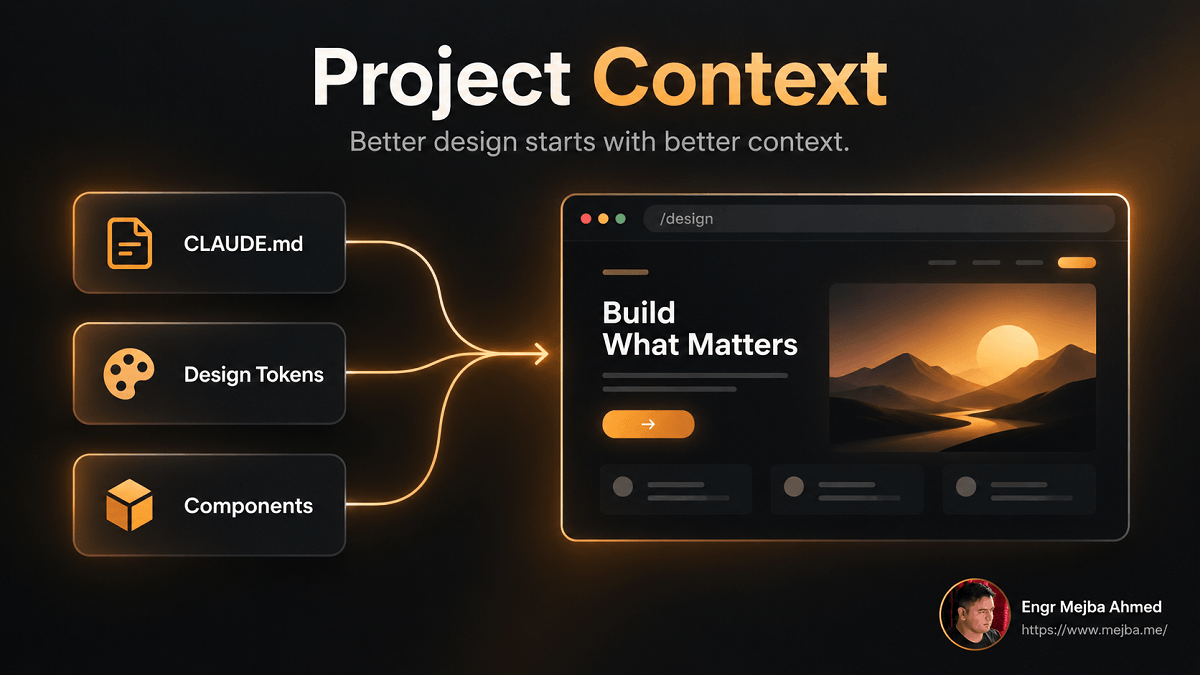
I would give Claude four different kinds of design context.
1. Design Tokens
The mechanical rules.
For example:
Primary: #2563EB
Accent: #8B5CF6

Surface:
- #FFFFFF
- #F8FAFC
- #0F172A

Typography:
- Display: Sora
- Body: Inter
- Mono: JetBrains Mono

Spacing:
4 / 8 / 12 / 16 / 24 / 32 / 48 / 64

Radius:
6 / 10 / 16
This is substantially more useful than:
Make it modern and premium.
2. Brand Rules
Tokens explain how the interface looks.
Brand rules explain why.
For example:
The interface should feel precise, technical and calm.

Avoid:
- loud gradients
- excessive glassmorphism
- decorative animations
- oversized rounded cards

Prefer:
- strong information hierarchy
- restrained accent use
- generous negative space
- clear typography
This prevents Claude from treating every aesthetically valid option as equally appropriate.
3. Existing Components
If the product already contains:
- buttons;
- form fields;
- cards;
- navigation;
- modals;
- tables;
- page shells;
those are more valuable than describing another imaginary component library.
Anthropic's Claude Design documentation makes the same point: imported design systems and existing codebases make generated designs more consistent with the actual product.
4. Real Content
This one is underestimated.
A landing page built around:
Powerful solution for modern teams
is visually easier to design but commercially almost useless.
Give it:
- real product names;
- real feature names;
- actual pricing;
- actual positioning;
- realistic text length.
Now the design is being tested against the content it must eventually carry.
My Robo Nuggets Test
I deliberately did the opposite.
The brief was:
/design a landing page for Robo Nuggets, dark and light mode
I wanted to see what happened with minimal guidance.
The result was useful as a baseline.
The design had enough structure to evaluate:
- hierarchy;
- section rhythm;
- dark/light behavior;
- card treatment;
- product presentation;
- spacing.
What interested me most was that the light version did not feel like a simple mechanical inversion of the dark one.
The color relationships had been reconsidered.
That is exactly the kind of visual judgment I want from a first draft.
But I would not mistake that result for a finished brand.
With almost no context, Claude had to invent most of the design language itself.
That is useful for exploration.
It is not what I would want for an established client identity.
Direct Manipulation Changes the Editing Loop
The other meaningful improvement is that not every design adjustment needs another model turn.
Prompt-only image and design workflows have an inefficient editing problem.
Suppose the layout is correct and all I want is:
- slightly more spacing;
- a heavier heading;
- different alignment;
- a shorter label.
The prompt-only approach is:
Make the heading 700 weight and do not change anything else.
Then wait.
Then inspect whether the model actually changed only that.
A visual editor is a much better tool for that class of change.
Anthropic's Claude Design experience explicitly separates three editing modes:
Chat for structural changes.
Inline comments for targeted requests.
Direct editing for immediate visual changes such as moving, resizing, or aligning elements.
The /design canvas preview brings part of that direct-manipulation model into Claude Code.
That is important because good AI workflows are not about forcing every interaction through natural language.
Sometimes the fastest interface is still:
click the thing and change it.
Under the Hood: Why .dc.html Is Interesting
The /design preview currently represents individual artboards using .dc.html sources and arranges multiple boards into one design canvas.
The implementation is still clearly preview technology rather than a stable public format that I would build infrastructure around.
That distinction matters.
I like the direction because text-based design representations are easier to integrate with development workflows than opaque binary files.
But I would not build critical tooling around .dc.html today under the assumption that Anthropic has committed to it as a permanent public standard.
Treat it as an implementation detail of an early preview.
The durable idea is more important:
the design is being created close enough to the codebase that both can share context.
The Canvas Is Not Production Code
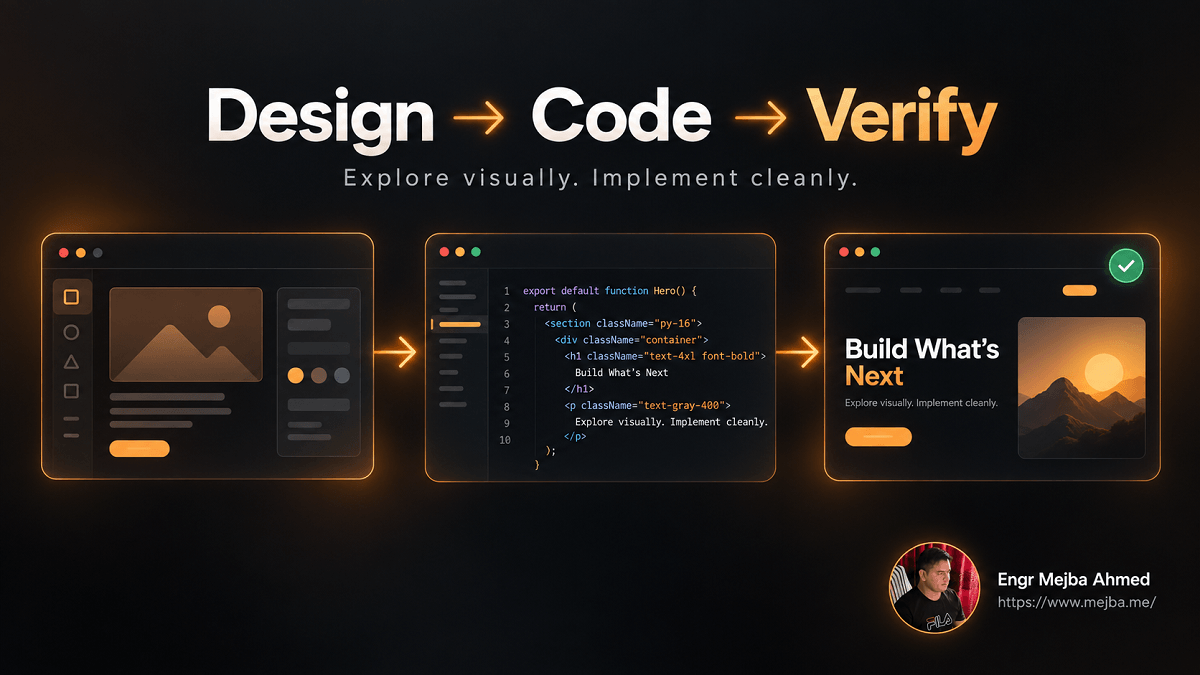
This is the most important boundary in the article.
A polished canvas can look finished.
That does not mean the application is finished.
Anthropic describes a normal Artifact as a single self-contained page, not a hosted application. It does not provide a backend, normal multi-route application architecture, or arbitrary external network access.
The /design canvas goes one step further conceptually: it is primarily a design artifact.
That means I would not treat:
Prompt → /design → deploy
as the complete production workflow.
A better model is:
Requirements
    ↓
Project context / design system
    ↓
/design exploration
    ↓
Visual review
    ↓
Approved direction
    ↓
Implementation in real components
    ↓
Responsive + accessibility verification
    ↓
Tests
    ↓
Deployment
The design phase gets faster.
The engineering phase still exists.
Claude Design Has a More Explicit Handoff Story
The full Claude Design product makes this distinction clearer.
Anthropic's current workflow allows designers to move between Claude Design and Claude Code.
A design can eventually be handed to Claude Code to continue implementation, and Claude Design supports importing existing code or design systems to improve the fidelity of that handoff.
That is a healthier model than pretending one generated canvas is already the production UI.
Design and implementation become connected.
They do not become identical.
Where /design Can Save Real Time
I see several places where the preview already makes sense.
Landing-Page Exploration
Ask for:
/design three directions for the pricing page:
one editorial, one developer-focused, one enterprise
Comparing three artboards at once is much more useful than generating them sequentially and trying to remember what the first one looked like.
Responsive Concepts
Create:
- desktop;
- tablet;
- mobile;
as adjacent artboards.
Now responsive design becomes a visual comparison instead of a promise that "we'll handle mobile later."
Dark and Light Themes
This was my Robo Nuggets test.
Putting both variants on one canvas makes inconsistent color relationships immediately visible.
Screen Flows
Authentication.
Onboarding.
Checkout.
Support ticket creation.
Putting related states next to one another is more useful than looking at isolated screenshots.
Marketing Assets
You can also use the same canvas model for:
- social graphics;
- posters;
- campaign layouts;
- simple print material.
That is one reason I would describe /design as a visual ideation surface, not only a web-design feature.
Where I Would Not Use It
There are also clear cases where I would stay in code or use a full design environment.
Mature Component Libraries
If the task is:
Add one state to the existing Button component.
I do not need a design canvas.
I need the component.
Tiny UI Fixes
Changing 12px padding to 16px in a known component is faster in code.
Deep Product Design Systems
Large organizations need:
- shared components;
- variants;
- governance;
- reusable libraries;
- accessibility rules;
- multiple simultaneous editors;
- handoff discipline.
The full Claude Design product or established design tools remain much more appropriate for that level of design operations.
Anthropic itself notes that Claude Design's multi-person editing is still basic and may not behave reliably for simultaneous editing, which is another reason not to oversell the current beta as a complete replacement for mature collaborative design platforms.
/design Does Not Replace Figma
I would frame this more precisely than my first draft did.
The comparison is not:
Claude Code versus Figma.
They solve different problems.
Figma is an established collaborative design system and authoring environment.
Claude Code is an engineering environment that can now generate and expose a visual design surface.
The valuable use case is the overlap.
A developer can explore the UI before writing it.
A technical founder can turn product requirements into something visual without switching tools.
A designer and engineer can shorten the gap between a design decision and the repository that implements it.
That is useful without requiring Figma to disappear.
Artifacts Add a Sharing Layer
Because /design is built around the Artifact infrastructure, its output can participate in Claude Code's broader publication model.
Artifacts are private when created and can later be shared according to the user's plan and organization settings.
For Team and Enterprise accounts, Artifact sharing can be restricted within the organization, and editors can be granted permission to publish new versions. Public sharing is separately controlled by organization administrators.
That is useful for review.
But again, I would not conflate an Artifact's sharing model with the full collaborative editing system in Claude Design.
They are related surfaces with different capabilities.
One Security Detail Worth Remembering
Publishing an Artifact is not the same thing as writing a local file.
Claude Code's documentation says an Artifact is published to Anthropic-operated infrastructure, and the feature asks for permission before the first publication of a new Artifact.
That matters for client work.
Before publishing a canvas containing:
- unreleased product designs;
- confidential financial data;
- internal architecture;
- private customer information;
understand whether the material should leave the local environment at all.
Claude Code supports disabling Artifacts entirely through configuration and permission controls when an organization does not want that publication path available.
This is another reason to understand /design as more than a pretty local editor.
The canvas is normally part of a published Artifact workflow.
What Happens If /design Is Not Available?
The preview depends on Artifact availability.
Anthropic's current Artifact requirements include:
- an eligible paid plan;
- an authenticated claude.ai-backed Claude Code session;
- Artifact capability being enabled;
- a supported Claude Code surface;
- compatible organizational security settings.
Artifact publishing is unavailable in several environments, including sessions authenticated only through an API key or certain cloud-provider credentials. It is also off by default in contexts such as the Agent SDK and GitHub Action.
So if someone types /design and does not get the canvas described here, the first thing I would check is not the prompt.
I would check the environment.
The feature is still a preview with availability constraints.
The Better Way to Prepare a Repo for AI Design
If I wanted /design to produce better work tomorrow, I would not spend tonight writing a 1,500-word mega-prompt.
I would improve the project itself.
Add a Short Design Section to CLAUDE.md
For example:
## Product Design

Audience:
Technical teams managing cloud infrastructure.

Visual direction:
Precise, quiet, high-density where useful.
Avoid generic SaaS gradients and oversized cards.

Colors:
Primary #2563EB
Accent #22C55E
Surface #0F172A / #F8FAFC

Typography:
Inter for UI
JetBrains Mono for technical data

Spacing:
8px base scale

Radius:
8px default, 12px for major surfaces
That alone gives Claude much more useful direction.
Keep Tokens in a Real File
Do not maintain one set of colors in:
- Tailwind;
- Figma;
- CSS;
- your prompt library;
- a Notion page.
Pick an authoritative representation and keep it current.
Give Components Meaningful Names
PrimaryButton
is better context than:
ButtonBlue2
The more semantic the codebase, the easier it is for an agent to understand the design system.
Keep Real Assets in the Workspace
Logo.
Product imagery.
Icons.
Screenshots.
Content examples.
A design model should not have to invent the brand assets that already exist.
This is the same principle behind my Claude Code second-brain workflow: the first time I repeat important project context is a warning; the second time is a sign that the context probably belongs in the project.
A Better Workflow for /design
If I were adopting the feature today, I would use this sequence.
Step 1: Define the Design Context
Before generating anything, confirm that Claude can find:
- colors;
- typography;
- spacing;
- component conventions;
- brand rules;
- real content.
Step 2: Ask for Multiple Directions
Do not spend the first generation trying to produce the perfect answer.
Use the canvas for what canvases are good at:
comparison.
For example:
/design create three homepage directions for this product:
1. technical and dense
2. editorial and premium
3. minimal enterprise
Step 3: Compare at the Artboard Level
Ask:
- Which hierarchy is clearest?
- Which feels most distinctive?
- Which scales best to mobile?
- Which aligns with the existing product?
- Which requires the least implementation complexity?
Step 4: Make Small Changes Directly
If the structure is right, do not ask the model to rebuild everything because the heading weight is wrong.
Edit the detail.
Step 5: Use Claude for Structural Changes
If you decide:
The pricing section should come before the product demo.
That is an appropriate model-level change.
Step 6: Move the Chosen Direction Into Implementation
Now let Claude Code inspect:
- the chosen design;
- existing components;
- project architecture;
- design tokens.
Then implement it using the actual application stack.
Step 7: Verify the Result
Check:
- 320–375px mobile;
- tablet;
- desktop;
- keyboard navigation;
- focus states;
- text contrast;
- reduced-motion behavior;
- image weight;
- Core Web Vitals;
- semantic HTML;
- real content.
The canvas is the beginning of frontend verification, not the end.
The Accessibility Pass Still Matters
A design can look accessible without being accessible.
Do not trust visual similarity alone.
If a /design result becomes a real interface, verify at minimum:
- text contrast;
- focus visibility;
- keyboard order;
- labels;
- semantic structure;
- touch-target size;
- error states;
- reduced motion;
- zoom behavior.
A screenshot cannot demonstrate most of those.
And a canvas should not be expected to.
This is exactly why I still argue that AI web design requires human verification.
The tool removes design friction.
It does not transfer accountability to the model.
Why I Still Think /design Matters
After all those caveats, I still think this is an important direction for Claude Code.
Not because developers suddenly need another design application.
Because the boundary between understanding the product visually and implementing the product technically is becoming thinner.
A normal AI coding workflow often looks like this:
Explain feature
    ↓
Generate code
    ↓
Run it
    ↓
Realize the design direction was wrong
    ↓
Rewrite code
A design-first workflow can be:
Explain feature
    ↓
Explore visual directions
    ↓
Choose one
    ↓
Implement
    ↓
Verify
That is a cheaper place to make a design mistake.
Changing an artboard is easier than rewriting a production component tree.
FAQ
Frequently Asked Questions
Everything you need to know about this topic
/design is a research-preview Claude Code skill for drafting UI mockups, landing pages, screen flows, posters, and other visual layouts as multiple artboards on a design canvas.
The canvas is published using Claude Code's Artifact infrastructure and exposes a preview of Claude Design's visual editor.
No.
Claude Design is Anthropic's broader beta design product with project-level design systems, canvas editing, comments, sharing, exports, codebase context and Claude Code handoff.
The /design skill is a research-preview design-canvas workflow available from compatible Claude Code sessions.
It can.
Anthropic says Claude's built-in design behavior looks for existing project design systems before falling back to its own choices.
You can make colors, typography and spacing discoverable through files such as CLAUDE.md or your project's theme/design-token files.
In accounts where canvas saving is enabled, the preview supports visual element selection and editing before publishing a new version.
Otherwise the result can still be used as a visual preview and exported.
Do not assume so.
Its primary output is a design canvas, not a production component system.
Use the chosen design as input to the implementation phase, then build and verify the actual components in your application's stack.
That should not be the default mental model.
Claude Code can of course help implement and deploy websites, but the /design preview itself is for design exploration. A Claude Artifact is also a self-contained page rather than a normal hosted application with a backend and multi-route architecture.
No.
It overlaps with parts of visual ideation and review, but mature design tools still provide deeper collaborative component systems, variants, libraries, history and multi-person authoring.
The value of /design is that visual exploration now sits much closer to the engineering context.
Artifact publishing currently requires an eligible Pro, Max, Team or Enterprise account plus a compatible signed-in Claude Code session and appropriate organization settings. Some authentication modes and execution environments cannot publish Artifacts.
The Bottom Line
The /design skill did not make Claude Code interesting to me because Claude can suddenly draw landing pages.
AI tools could already generate layouts.
What changed is where the design process happens.
The design can begin inside the same environment that knows:
- the repository;
- the project's instructions;
- the design tokens;
- the existing components;
- the brand assets;
- the real content;
- the implementation constraints.
That shortens the distance between:
idea → design → code
without pretending those are all the same activity.
The canvas helps you make visual decisions before they become expensive code decisions.
Claude Code then helps turn the chosen direction into the real application.
And the quality of both stages depends heavily on something less exciting than the latest model:
the quality of the context you gave the system in the first place.
So before spending another hour improving your /design prompt, improve the project Claude is reading.
Write the tokens down.
Document the visual rules.
Keep the components coherent.
Put the real assets where the agent can find them.
Because the most useful part of /design is not that Claude Code now has a canvas.
It is that the canvas can finally begin with the same source of truth as the code.
Build Better AI Design-to-Code Workflows
I work with Claude Code, AI development, agentic workflows, and production software systems.
If you are building a design-to-code workflow with Claude, the important part is not simply generating faster. It is connecting brand context, design systems, visual review, implementation, and verification so that the final product remains consistent from the first artboard to the production interface.
Related:
- AI Agent Context Beats Configuration
- Claude Code Second Brain
- How Claude Code Became a Design Platform
- Why AI Web Design Still Needs Human Oversight
Let's Work Together
Looking to build AI systems, automate workflows, or scale your tech infrastructure? I'd love to help.
- Fiverr (custom builds & integrations): fiverr.com/s/EgxYmWD
- Portfolio: mejba.me
- Ramlit Limited (enterprise solutions): ramlit.com
- ColorPark (design & branding): colorpark.io
- xCyberSecurity (security services): xcybersecurity.io